
 Electronics & Computer
 Smart Home & Security
 Home Appliances
 Kitchen & Dining
 Power & Charging
 Gaming & Entertainment
 Automotive & Outdoor
 Health & Personal Care
 Office Electronics
 Smart Lighting & Ambient



🎙️ COMU REVIEW: A PRACTICAL GUIDE TO AI VOICE RECORDERS AND SMART MEETING NOTES
Affiliate disclosure: This article contains affiliate links. If you purchase through these links, Avery Finds may earn a commission at no extra cost to you.
A productive meeting does not end when everyone leaves the room. The next challenge is remembering what was agreed, checking important details, and turning the discussion into useful follow-up work. COMU offers physical AI voice recorders with companion software designed to help capture conversations and organize their contents.
This COMU review compares the Comu Action Pro and Comulytic Note Pro, with practical advice on choosing a device and understanding its software features. It is a research-based buying guide using the manufacturer’s published information, rather than a hands-on test. Recording quality, transcription accuracy, and long-term reliability have not been independently measured for this article.
What Does COMU Offer?
COMU combines a portable recording device with tools for transcription, summaries, and reviewing recorded information. These are physical products, rather than software subscriptions alone. The store also provides links to mobile, desktop, and web platforms, although buyers should confirm compatibility and feature availability for their selected device.
The main distinction to understand is between capturing audio and interpreting it. A recording preserves what the microphones capture. A transcript converts that audio into text, while a summary selects and reorganizes information. Each stage can introduce omissions or errors, so the original recording remains useful when checking important details.
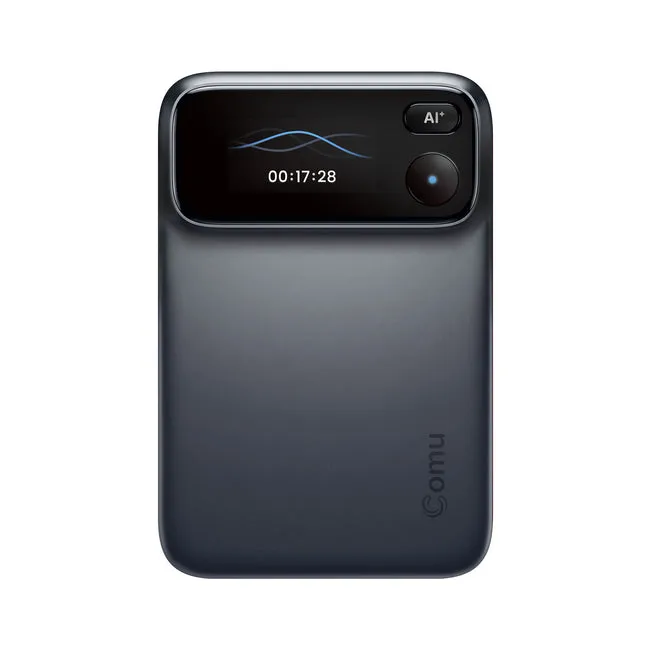
1. Comu Action Pro: For Recording and Follow-Up Work

The Comu Action Pro is positioned around both recording conversations and turning them into follow-up materials. Its listing describes an adaptive six-microphone system and up to 70 hours of recording on a single charge. Treat that battery figure as a manufacturer specification, rather than a result confirmed through independent testing here.
The software features described include turning conversations into email drafts, to-do lists, action plans, and editable documents. That makes this model relevant to shoppers whose workload continues after a meeting: preparing a client response, organizing responsibilities, or developing notes into a working document.
A useful way to assess those features is to consider your current process. If you already write structured meeting notes efficiently, an additional device may offer limited benefit. If you frequently search through recordings or reconstruct decisions from memory, the ability to review and organize captured information may be more relevant.
Our assessment: Compare the Action Pro if your priority is a broader recording-to-follow-up workflow. Before purchasing, check which advanced functions are included with the device and which depend on a paid software plan. A feature appearing on the product page does not necessarily mean every subscription tier includes it.
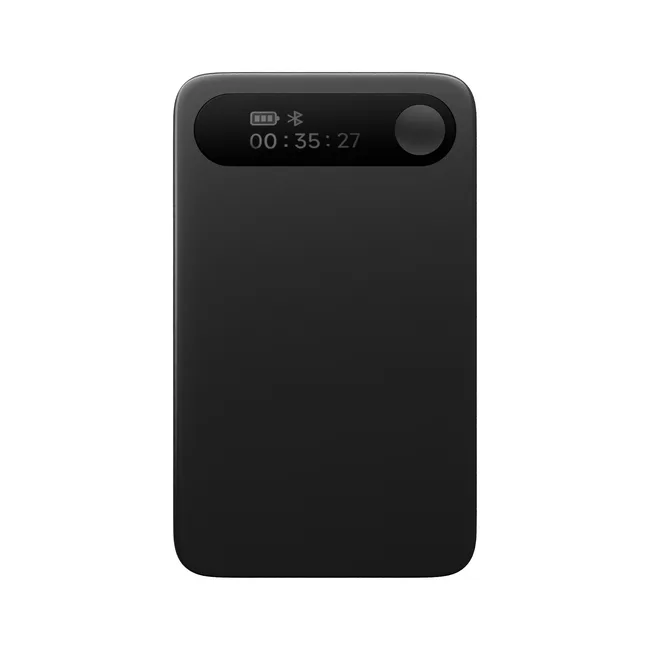
2. Comulytic Note Pro: For Recording, Transcription, and Summaries

The Comulytic Note Pro emphasizes straightforward recording and reviewing conversations through its app. The published listing describes one-tap recording controls, Bluetooth syncing, 16GB of internal storage, and up to 45 hours of continuous recording. These details provide a starting point for comparison, but actual performance depends on operating conditions and use.
This model may interest people who mainly want to preserve discussions and return to written notes later. Examples include reviewing a project briefing, checking an interview, or organizing information from a consultation. The value comes from having a repeatable review process, rather than simply accumulating more recordings.
Its listing distinguishes free recording, transcription, and summary functions from premium features. That distinction deserves attention before checkout. Decide whether the included functions address your needs, then assess optional features separately instead of assuming a paid upgrade is necessary.
Our assessment: The Note Pro is worth comparing if your primary need is capturing conversations and converting them into reviewable notes. Check supported languages, export options, device compatibility, and the current premium plan details before deciding whether it fits your routine.
3. Choosing a Recorder for Your Daily Routine

Start with the situations you record most frequently. A quiet conversation across a desk differs from a busy group meeting with several speakers. Distance, background noise, overlapping speech, and microphone placement can affect the captured audio and the usefulness of the resulting transcript.
Consider the physical routine as well. Think about where the recorder will sit, how often you will charge it, and when you will transfer or review files. A device only helps if it is available when needed and its recordings become part of a manageable workflow.
Call recording deserves a separate compatibility check. Confirm how the selected device works with your phone, case, calling setup, and software. Do not assume that a general reference to recording calls guarantees compatibility with every phone or communication app.
Our assessment: Choose according to your typical recording environment and the outputs you need afterward. Battery specifications are useful, but recording placement, easy operation, and access to your notes may matter more during everyday use.
4. Understanding Free Features and Optional AI Plans

COMU advertises unlimited free AI transcription and basic summaries. The important word is “basic”: advanced analysis, document creation, or other tools can have separate plan conditions. Review the current feature comparison for the selected model rather than treating every AI capability as part of the hardware purchase.
For an occasional user, included transcription and summaries may be enough. Someone processing many client conversations might place more value on additional organization or analysis. The sensible comparison is the total cost of the device and any software you expect to keep using.
AI-generated text still needs review. Check names, figures, dates, responsibilities, and any wording that could change the meaning of a discussion. A polished summary can be convenient without being complete, so use the original recording to resolve uncertainty.
Our assessment: Identify the minimum features you need first. Compare optional plans against a real task you perform regularly, and check renewal terms before committing to a subscription.
Who Might Find a COMU Recorder Useful?
People who attend regular meetings, conduct interviews, or handle detailed client conversations may find a dedicated recorder worth considering. It can also suit someone who prefers listening during a discussion and reviewing notes afterward. The usefulness depends on how frequently captured information is revisited and turned into action.
If you rarely need recordings, compare the device with tools you already own before buying. A phone recording app or your existing meeting platform may meet simpler needs. Dedicated hardware makes more sense when its capture method and review workflow solve a recurring problem.
What to Check Before Checkout
- Model: Confirm whether you are selecting Action Pro or Note Pro.
- Compatibility: Check your phone, operating system, and intended recording setup.
- Included features: Separate basic functions from optional premium tools.
- Languages: Verify support for the languages you actually use.
- File handling: Check transfer, export, storage, and deletion options.
- Package contents: Confirm the accessories included with the selected variant.
- Total cost: Review hardware, optional services, shipping, and applicable taxes.
- Returns: Read the current eligibility and return conditions.
Recording Permission and Data Handling
Before recording other people, obtain appropriate permission and follow the rules that apply to the conversation and your workplace. For confidential discussions, review the service’s privacy information and your organization’s requirements before uploading audio. Product marketing alone does not establish suitability for every sensitive use.
Keep a clear routine for reviewing, sharing, and deleting recordings. Only share notes with the intended recipients, and check AI-generated summaries before sending them onward. These habits help keep the recorder useful without allowing an unorganized archive to build up.
Frequently Asked Questions
Is COMU a physical product or a digital service?
The Action Pro and Comulytic Note Pro are physical recording devices used with companion software. Some software functions are included, while advanced features may require a separate plan.
Is this a hands-on COMU review?
No. This guide uses published product information and practical buying considerations. We have not independently tested the devices or verified their performance claims.
Where do the images and shopping buttons lead?
They open the COMU store through our affiliate link. Select the model discussed, then confirm the current specifications, included features, price, and delivery options.
COMU Review: Final Verdict
COMU is worth exploring if recording conversations and turning them into usable notes is a regular part of your work. Compare Action Pro for its broader follow-up workflow and Note Pro for its recording, transcription, and summary focus.
Choose the model that fits your real recording habits and the software features you will use consistently. Verify compatibility, understand optional costs, and plan to review important AI-generated details. A useful recorder should support a clear working routine rather than simply create more files to manage.













Reviews
There are no reviews yet.