
 Electronics & Computer
 Smart Home & Security
 Home Appliances
 Kitchen & Dining
 Power & Charging
 Gaming & Entertainment
 Automotive & Outdoor
 Health & Personal Care
 Office Electronics
 Smart Lighting & Ambient





🎨 VECTORIZER.AI REVIEW: A PRACTICAL GUIDE TO TURNING IMAGES INTO VECTOR ART
Affiliate disclosure: This article contains affiliate links. If you purchase through these links, Avery Finds may earn a commission at no extra cost to you.
A small graphic can become a big obstacle when your next project needs a larger, more flexible version. Perhaps you have a logo saved as a JPG, a colorful illustration exported as a PNG, or an older graphic without its original design file. Before rebuilding everything manually, you may want to explore image vectorization.
Vectorizer.AI is an online service for converting bitmap images into vector artwork. This review explains its published features and offers a practical framework for evaluating it. We also look at four example images from its website. This is a research-based guide, not a hands-on test: we have not independently measured accuracy, processing speed, or production performance.
What Does Vectorizer.AI Do?
Vectorizer.AI accepts PNG, JPG, GIF, BMP, and WebP images. It offers SVG, PDF, EPS, and DXF vector output, plus a cleaned-up PNG option. Its browser workflow includes uploading, previewing, refining, and downloading. Published tools include palette adjustments, background removal, region editing, and corner controls.
The service describes a process that fits geometric shapes and curves to image content. Its interactive preview lets you inspect the conversion before deciding whether to subscribe for downloads.
For shoppers, the useful question is not simply whether a tool can produce a vector file. It is whether the result suits the artwork, application, and destination you have in mind. A careful preview and a compatibility check are more valuable than assuming every conversion will be ready for every task.
1. Coffee Fox: Evaluating a Character-Based Graphic

Character artwork is a useful starting point for thinking about conversion quality. Small differences in curves, spacing, and facial details can affect how recognizable a character feels. When reviewing similar artwork of your own, compare the overall silhouette before examining individual features.
Make a short list of details that matter most. You might prioritize the expression, the relationship between adjacent colors, or the shape of a particular accessory. This gives the review a purpose and helps prevent endless adjustments without a clear goal.
Then view the graphic at the size where it will appear. A tiny social media icon and a large presentation graphic place different demands on the same design. Keep those intended uses in mind throughout the evaluation.
Our assessment: Use this type of example to develop your own inspection checklist. It should not be treated as proof that every character illustration will convert equally well.
2. Lion Mascot: Checking Bold Shapes and Fine Details

Mascot-style graphics can combine strong outer shapes with smaller internal features. When evaluating a comparable design, separate those two concerns. First check whether the overall composition remains balanced. Next inspect narrow spaces, pointed features, and closely grouped elements.
Do not judge only by how smooth an outline looks. A smoother shape may still differ from what the original designer intended. Keep the source beside the candidate result and decide which differences are acceptable for the project.
If you are preparing artwork for a client or organization, ask whether an original vector file already exists. Recovering an approved master file may be preferable to reconstructing a bitmap. Conversion becomes a more informed choice when you understand what source material is available.
Our assessment: Mascot examples help illustrate what to inspect, but an attractive demonstration is not a substitute for evaluating your own file.
3. National Park: Reviewing a Complete Composition
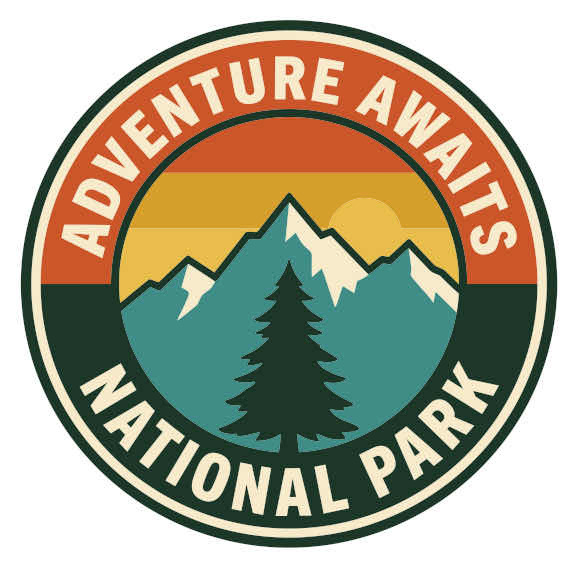
A composition should be reviewed as a whole, not only as a collection of enlarged edges. Check the visual hierarchy: what catches your attention first, what remains readable, and whether the different elements still feel connected.
For artwork containing lettering, examine each word carefully. Watch for merged letters, altered spacing, or small enclosed areas that no longer read clearly. An image can look convincing from a distance while containing a detail that matters to the final project.
It is also useful to place the candidate artwork in a rough mockup of its destination. A website header, printed label, and presentation slide each provide a different context. That exercise can reveal practical concerns that a close-up preview alone may not show.
Our assessment: Make the intended placement part of the review. The final design needs to work in context as well as under magnification.
4. Leaping Stag: Inspecting Silhouettes and Delicate Features

Silhouette-based artwork encourages a different kind of review. Consider whether the pose remains clear and whether delicate features retain the intended separation. Areas that look minor in the source may become important when the graphic is enlarged or placed against another background.
If the eventual destination involves physical production, discuss the artwork with the provider. Minimum feature sizes, material behavior, and finishing requirements are project-specific. A suitable file format does not by itself establish that a design is ready for a particular machine or process.
Keep a record of the version you approve. Save the original source, the exported result, and any later edits with distinct names. This makes it easier to compare revisions and avoid sending an outdated file.
Our assessment: Focus on recognizability and intended use. A successful evaluation includes both the appearance of the artwork and the requirements of its destination.
A Practical Workflow Before You Subscribe
Start with a small collection of representative files rather than one unusually simple example. Include the kinds of artwork you actually handle. Make sure you have permission to upload and modify each image.
Write down what you need from the result before beginning. This could include readable lettering, a specific background treatment, or compatibility with a particular design application. Clear requirements make it easier to decide whether a conversion is useful.
During review, compare the source and result at both normal viewing size and a closer zoom. Note meaningful differences instead of changing settings without a plan. If a source is ambiguous, consider obtaining a clearer original rather than expecting software to resolve every uncertainty.
Finally, check the exported artwork in its destination application. Confirm dimensions, colors, appearance, and any requirements supplied by a collaborator or production provider.
Web App or API: Which Fits Your Workflow?
Vectorizer.AI separates its Web App subscription from its usage-based API plans. The Web App is intended for a person working in the browser. API plans support software-driven workflows. A Web App subscription does not include API access.
| Consideration | Web App | API |
|---|---|---|
| Typical workflow | A person uploads and reviews images | Software submits conversion requests |
| Plan structure | Unlimited Web Images subscription | Usage-based credits |
| Main consideration | Your browser-based editing routine | Integration and expected request volume |
Choose around the work you need to complete. A developer’s integration requirement is different from a designer’s occasional conversion task. Review current plan details rather than assuming that similarly priced options provide the same access.
Pricing and Purchase Considerations
Uploading and previewing through the Web App are free; downloading your own converted results requires a subscription. The pricing page also provides free downloads of example results for compatibility checks.
Subscriptions renew automatically until cancelled. The published terms state that subscription fees are non-refundable. Check the current checkout details, billing currency, renewal terms, and cancellation process before purchasing.
For your own evaluation, consider how frequently you expect to use the service and what work may remain after conversion. Avoid measuring value only by the number of files you could upload. The more useful measure is whether the complete workflow fits your needs.
Frequently Asked Questions
Are the four images separate products?
No. They are example graphics from the Vectorizer.AI website. The service being reviewed is the image-vectorization tool.
Does Avery Finds claim to have tested these conversions?
No. These manufacturer examples illustrate the discussion. They are not presented as results of independent testing by Avery Finds.
Should I check compatibility before purchasing?
Yes. Open an available example result in the software you intend to use, and confirm the requirements of anyone receiving your final artwork.
Vectorizer.AI Review: Final Verdict
Vectorizer.AI offers a browser-based route for exploring image-to-vector conversion, with a separate API option for automated workflows. Its preview-first approach gives you a way to evaluate representative artwork before purchasing downloads.
Begin with files that reflect your real projects, inspect the details that matter, and check the final output in context. The right choice depends on the usefulness of that complete workflow, not simply the appeal of a demonstration image.
Reviews
There are no reviews yet.