
 Electronics & Computer
 Smart Home & Security
 Home Appliances
 Kitchen & Dining
 Power & Charging
 Gaming & Entertainment
 Automotive & Outdoor
 Health & Personal Care
 Office Electronics
 Smart Lighting & Ambient

A USB-C charger can look ideal on paper until you plug in a second device and the power available to your laptop changes. A power bank can have plenty of capacity and still be awkward to carry every day. A cable that charges your laptop may also be the link between your computer and a dock, which makes its data and display capabilities worth checking separately.
This Avery Finds review compares four products from the official AOHi store: the Future AI 170W wall charger, the Magcube Pro 140W charger, the Future Starship 240W power bank, and the Adonis USB4 2.0 cable. The comparison is based on AOHi’s listings and product images. Start with the device you need to power, then check what else you expect to connect at the same time.
About AOHi
AOHi sells wall chargers, portable power banks, and cables. Its catalogue includes products designed for higher-power USB-C setups as well as bundles that pair a charger or power bank with a cable. This is useful if you are putting together a setup from scratch, but read the selected variant carefully. A photo showing a charger and a cable may illustrate a bundle, while another option on the same page may come with different accessories.
When comparing the products below, read the wattage in context. A wall charger has a total rating and limits for individual ports. A power bank has a battery capacity as well as output limits. A cable has its own power rating, and certain cables also carry data and video. To understand what your setup can do, compare the device, power source, and cable together.
1. AOHi The Future AI 170W Three-Port LED Display Wall Charger
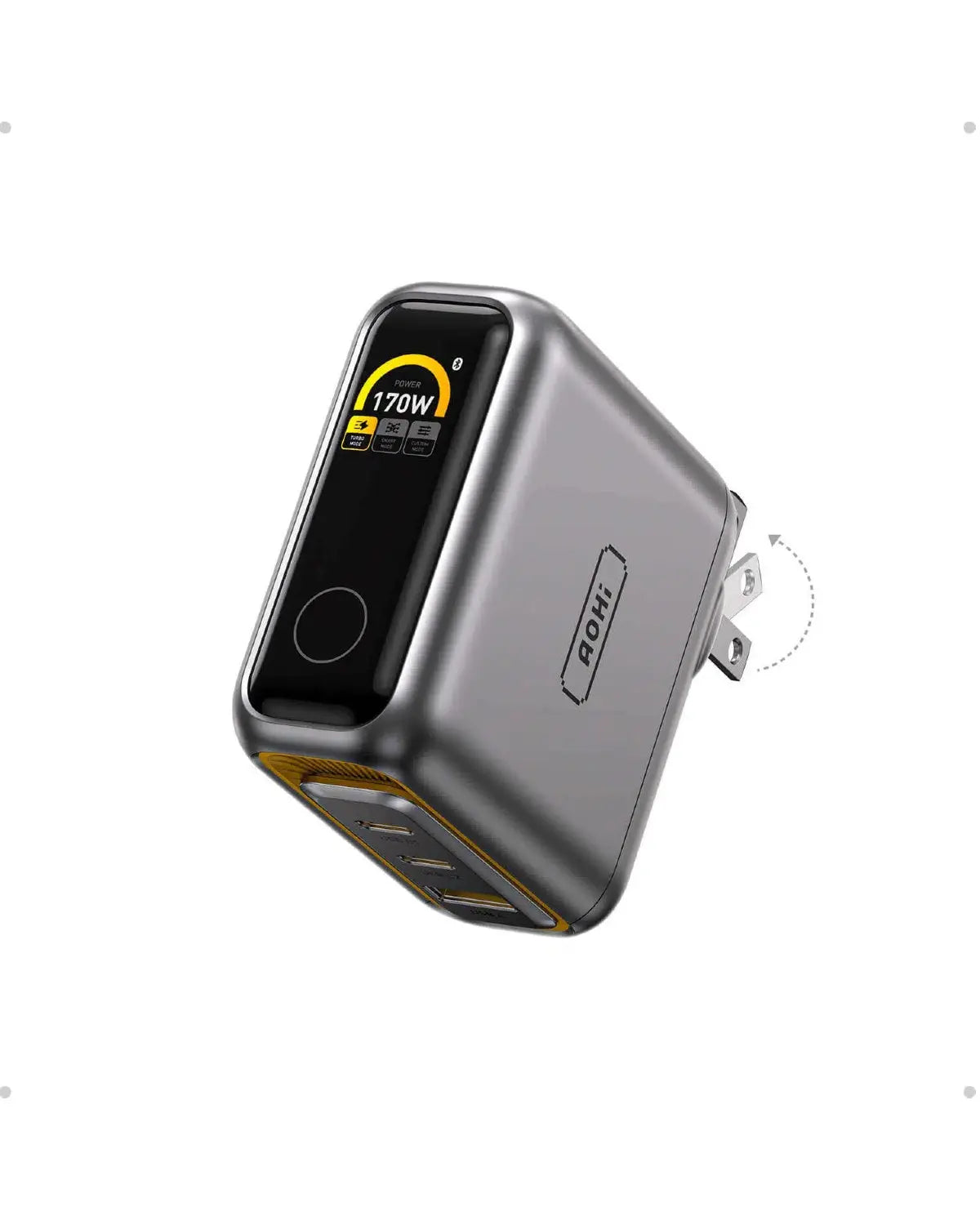
AOHi lists the Future AI as a 170W wall charger with three ports and an LED display. It is the first option to compare if you regularly use one outlet for a laptop and one or two smaller devices. The display is also a consideration if the charger will sit within sight on a desk or beside an accessible wall socket.
Before ordering, write down the combinations you expect to use. A laptop on its own is one scenario. A laptop, phone, and earbuds plugged in together is another. Compare both scenarios with AOHi’s port allocation information. If your laptop is the priority, check which port you need to use and what that port can supply while the other connections are occupied.
Check the plug version and what comes in the box as well. The listing includes charger and bundle options, so select the one that matches the cables you already own or plan to buy.
2. AOHi Magcube Pro 140W GaN+ Fast Charger

The Magcube Pro 140W has two USB-C ports and one USB-A port. That mix is worth a look if your main devices charge over USB-C but you still carry a USB-A cable for an accessory. The USB-A connection can also help you keep using a cable you already have instead of replacing it just to match the charger.
For a laptop setup, check the laptop’s supported charging input, then compare it with the charger’s output for the exact port combination you expect to use. If you will connect a laptop and phone together, read the two-port figures. If you expect to use all three connections, check that allocation as well. The single-port maximum is most useful when one device gets the charger to itself.
AOHi lists regional plug versions. Select the one that fits your local sockets and check whether your listing includes a charging cable. This is especially worth doing when comparing several Magcube listings with similar names.
3. AOHi The Future Starship 240W 27,600 mAh Power Bank
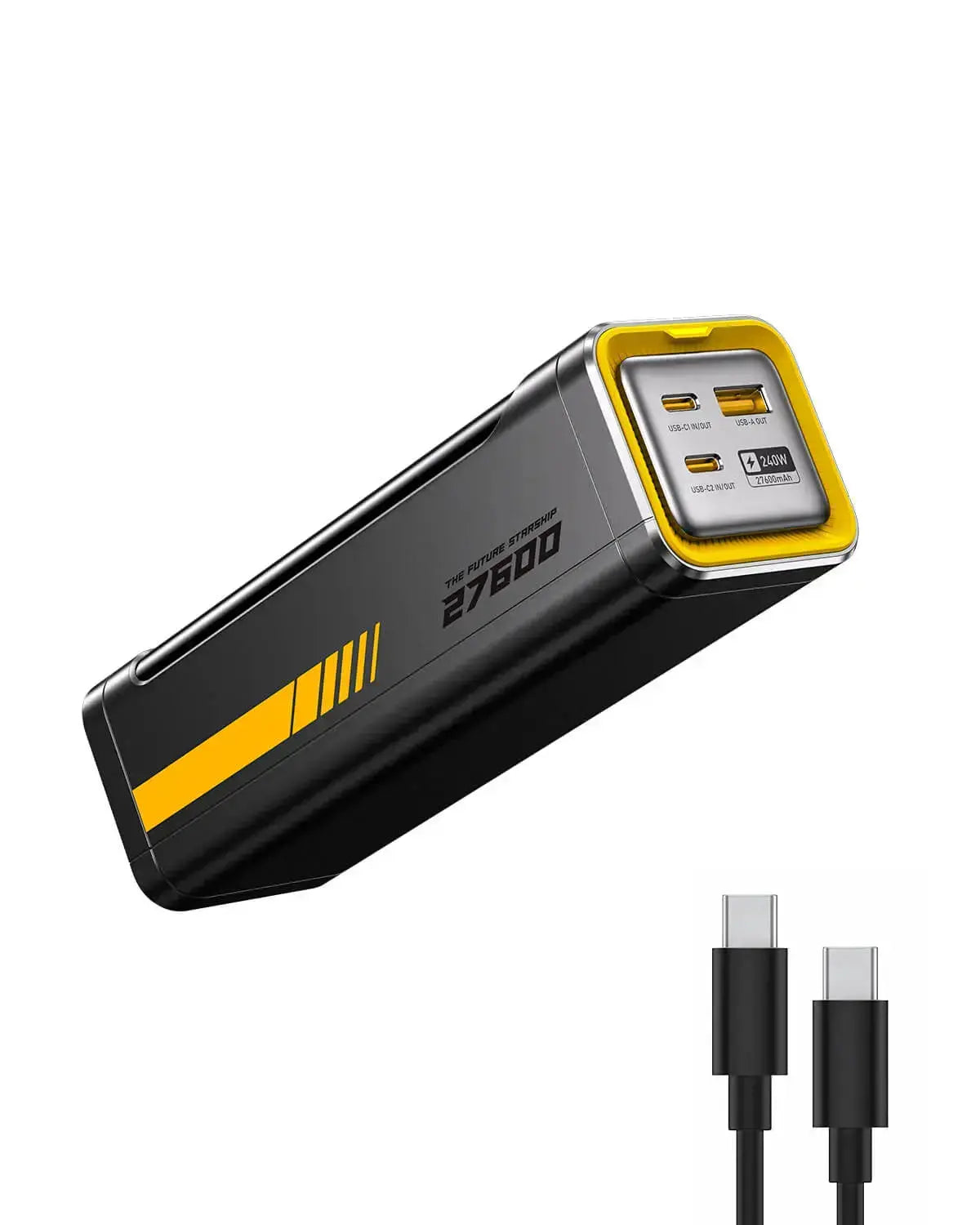
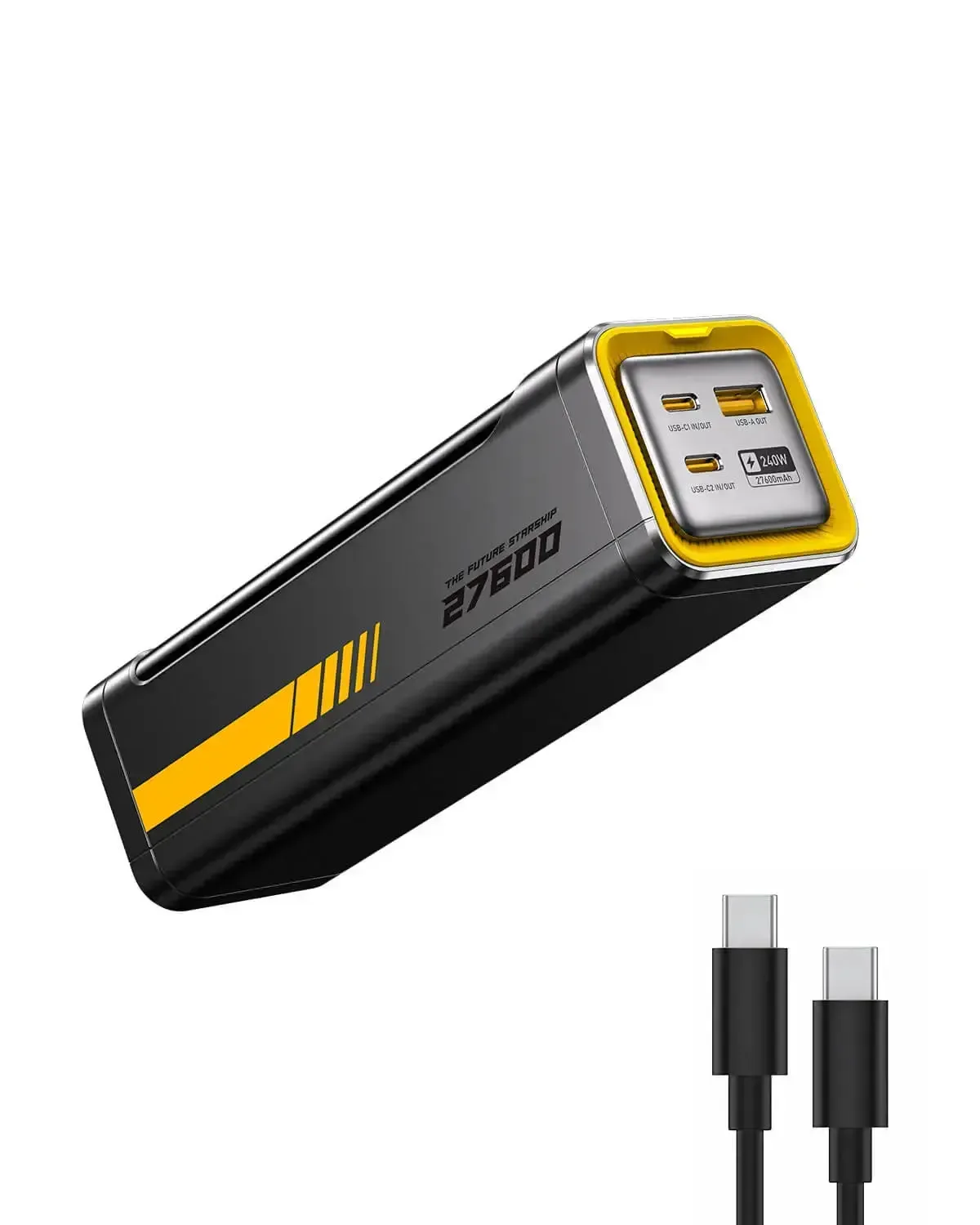
AOHi lists this Future Starship model with a 27,600 mAh battery, a 240W output designation, and an LED display. Its use case is different from either wall charger above. It gives you a portable power source for places where a socket is hard to reach, such as a shared workspace or a long day away from your desk.
Read the listing’s per-port and combined output figures if you expect to charge a laptop and phone at the same time. The battery capacity helps you compare the unit with other power banks, while the port specifications tell you whether it can supply the kind of power your devices request. Actual recharge counts depend on the devices, how much charge they need, and whether you use them while charging.
Look at the dimensions and weight before choosing it for a daily bag. Also check how you will recharge the power bank itself and which cable comes with the variant in your cart. AOHi shows several cable configurations in the product gallery.
4. AOHi The Future Adonis USB4 2.0 240W USB-C Cable

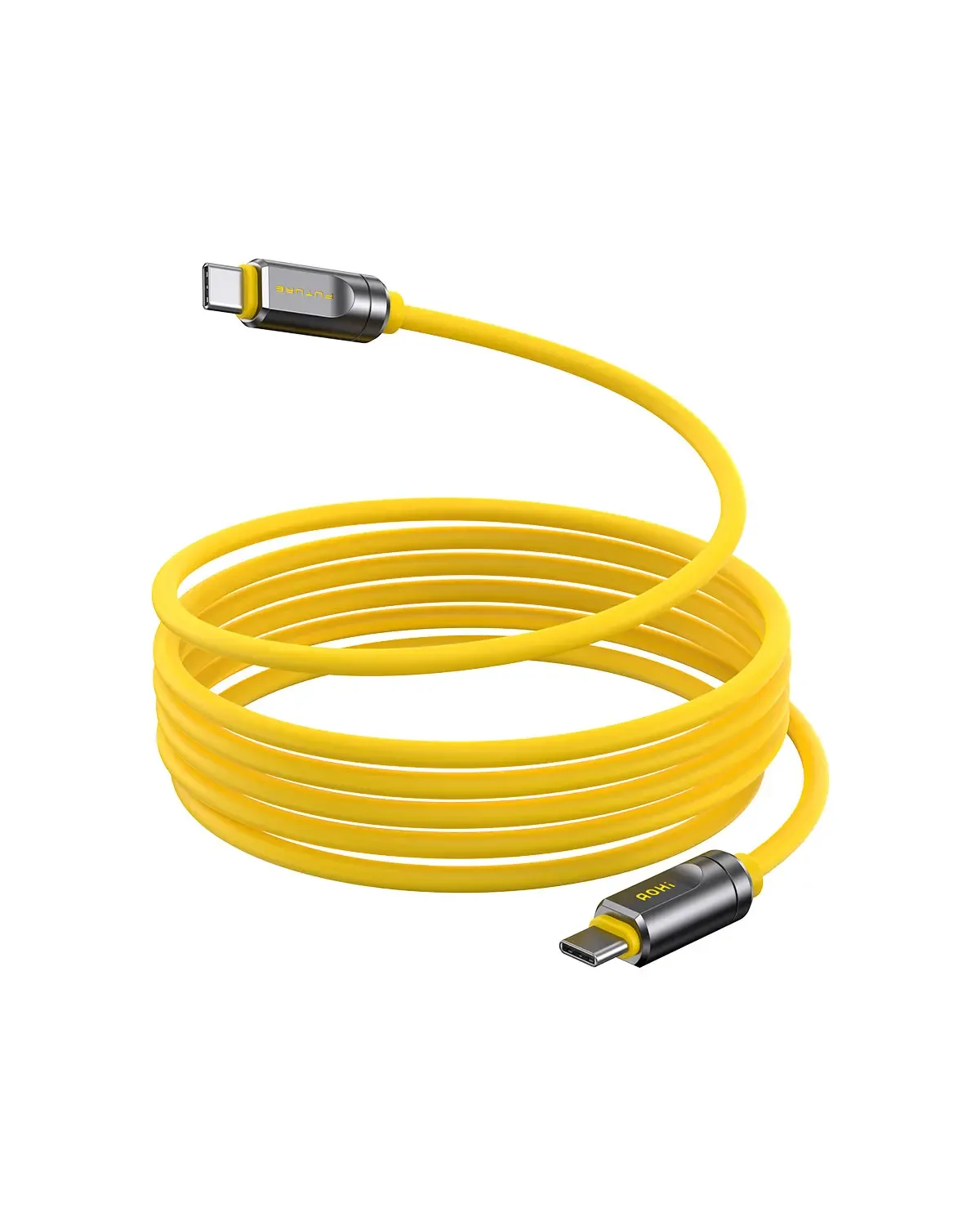
AOHi lists the Adonis as a USB-C to USB-C cable rated for up to 240W charging, with USB4 2.0 data and display capabilities. Its listing shows 3.3-foot and 6.6-foot options. This is the product to compare if you need a cable for charging and want to connect compatible equipment such as a dock or display.
Decide which feature matters to you before paying for a higher-specification cable. If you are connecting a monitor through a dock, check what your computer, dock, and display support. If the job is charging, start with the power requirements of your device and charger. A cable’s rating describes what it can carry when paired with compatible hardware.
Measure the route the cable will take, including any extra length needed to move the laptop or reach behind a desk. Verify the selected length and its stated specifications in the variant selector before ordering.
Each image and shopping button opens the AOHi homepage through the same affiliate link. Search the store for the product name shown above and check the exact variant before ordering.
What to check before buying AOHi charging gear
- Device input. Find your device’s supported charging input and check which cable and charging protocol it needs.
- Shared power. Read the manufacturer’s output table for the ports you will use together, especially if a laptop will share power with another device.
- Plug and package. Match the wall plug to your region. Check which cable, if any, comes with the item in your cart.
- Portability. Compare dimensions, weight, and cable length against how you actually carry or use the gear.
- Checkout total. Confirm the price, variant availability, shipping cost, and return terms for your destination before paying.
Frequently asked questions
Will a 240W cable charge every device at 240W?
The charging rate depends on the device, power source, cable, and supported charging protocol. Check each part of the setup against the charging rate you need.
Which AOHi wall charger should I compare first?
Start with the 170W model if you want an LED display and plan to use several ports. Compare the Magcube Pro 140W if its two USB-C ports and one USB-A port match the cables you use. Check the power available to your main device in either setup.
Can the Adonis cable connect a monitor?
AOHi lists display support for the Adonis. Check whether your computer, dock, and monitor support the display mode, resolution, and refresh rate you want.
How do I find the exact product from the AOHi homepage?
Search by product name and wattage. For the Starship, include 27,600 mAh. For the Adonis, include USB4 2.0 and confirm the cable length before checkout.
Final verdict
AOHi is worth comparing if you charge a laptop alongside smaller devices or need a cable that also handles data and display connections. Choose between the wall chargers by the port layout and shared output you need. Look at the Starship if you need power away from a socket, and compare the Adonis if your setup puts specific demands on the cable. In each case, match the exact variant to your devices before ordering.







Reviews
There are no reviews yet.