
 Electronics & Computer
 Smart Home & Security
 Home Appliances
 Kitchen & Dining
 Power & Charging
 Gaming & Entertainment
 Automotive & Outdoor
 Health & Personal Care
 Office Electronics
 Smart Lighting & Ambient




🤝 AFFILIATE DISCLOSURE: AVERY FINDS MAY EARN A COMMISSION IF YOU PURCHASE THROUGH LINKS IN THIS ARTICLE.
Higgsfield is an AI creative platform for making images, video clips, and marketing assets. Its tools cover different stages of production. You can explore a visual direction with Soul 2.0, plan a shot in Cinema Studio, develop a product video in Marketing Studio, or connect those kinds of steps in Canvas. The best starting point depends on the asset you need to publish and how much control you want along the way.
This review is based on Higgsfield’s published product pages and documentation. It looks at four tools through practical examples for creators, ecommerce teams, and small businesses. It also covers the questions worth asking before you choose a subscription, including model access, credit usage, and the work involved in reviewing AI-generated output.
What is Higgsfield AI?
Higgsfield combines its own creative tools with access to multiple AI models. The platform covers jobs ranging from generating a single image to planning shots and building reusable production workflows. That breadth is most relevant if you already move between still images and video, or if several people need to work from the same references.
For a first project, define the deliverable in concrete terms. An online shop might need three vertical concepts for one product launch. A creator might need a consistent visual style for a series of covers. A production team might need a short sequence with several related shots. Knowing the output, placement, and review requirements makes it easier to choose a tool and judge whether the result is usable.
1. Cinema Studio

Explore Higgsfield
Cinema Studio is Higgsfield’s workspace for cinematic video. Its documentation describes controls for camera movement and optics, with options varying by version. Higgsfield also documents reusable Elements for assets such as characters, props, and locations. These controls matter if your brief calls for a particular opening composition or camera move and you want a way to describe those choices consistently.
For a product teaser, start with an approved reference and one clear shot. Decide where the product sits in the frame, how the camera should move, and what the viewer should see at the end. A gradual push toward the subject, for example, gives you one movement to evaluate. Check the clip from start to finish for changes to labels, edges, background objects, and the shape of the product.
The planning overhead makes the most sense when the shot itself matters. If you need several shots, write down what should carry over between them. A consistent subject, lighting direction, and color palette can make the sequence easier to review. Budget time to reject clips that look appealing on their own but fail to match the surrounding shots.
2. Soul 2.0
Explore Higgsfield
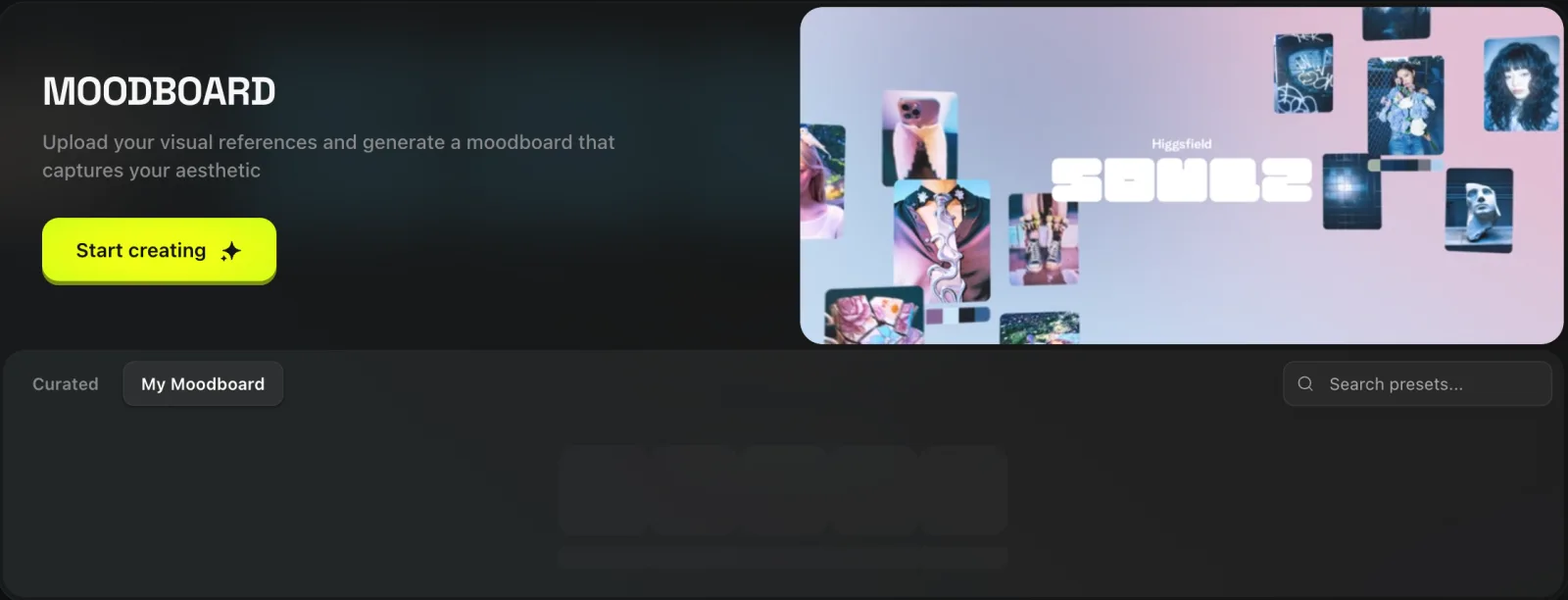
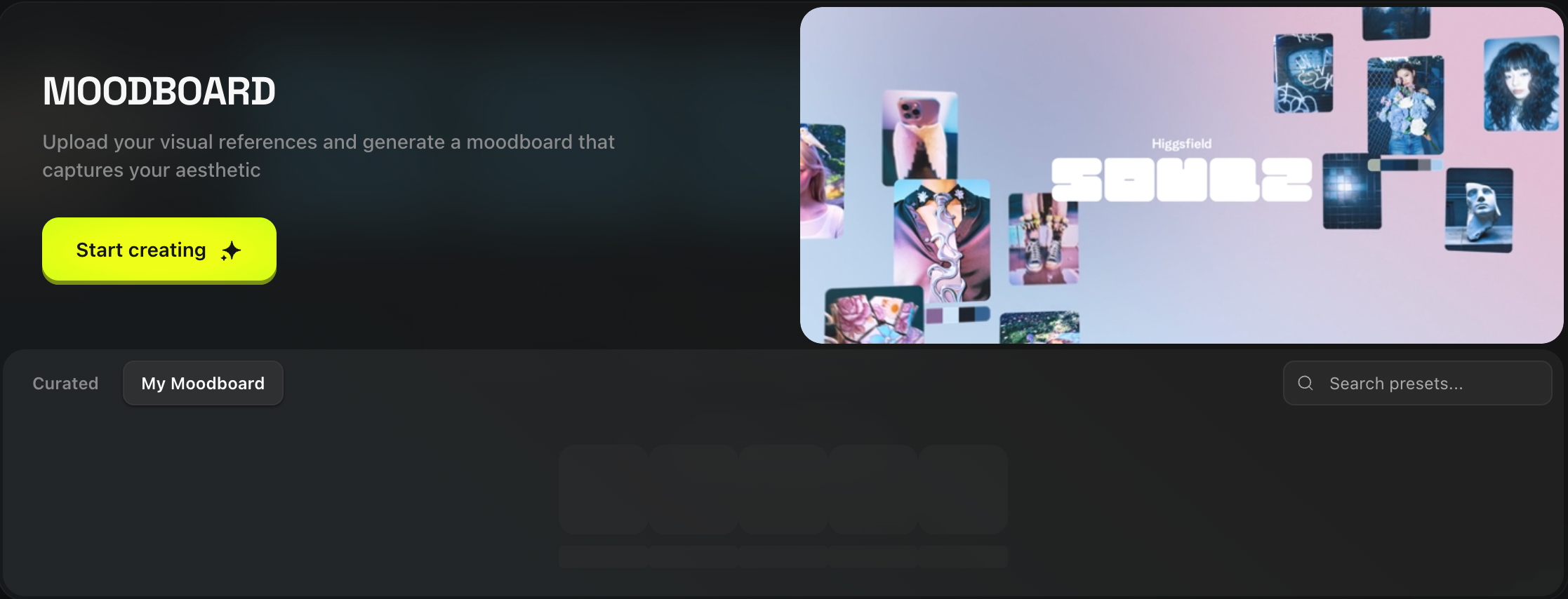
Soul 2.0 is part of Higgsfield’s image model family. Its documentation describes style presets, reference images, Moodboards, and color control through Soul HEX. That combination is useful when you want several stills to share a visual direction, such as editorial covers with similar lighting, texture, and color.
Choose references that express a clear design brief. If your goal is a restrained palette and a particular lighting direction, pick images that demonstrate those two qualities. Review a small set of outputs before committing to a batch. Look at skin tones, the way shadows fall, and how the images read side by side. A single strong image can still feel out of place in a series.
For shop content, a useful role for Soul 2.0 is exploring backgrounds, compositions, and campaign concepts. Keep approved product photography available when the final image needs to show what customers will receive. Compare the actual product with the generated version, especially if color, dimensions, packaging, or visible materials influence the purchase decision.
3. Marketing Studio

Explore Higgsfield
Marketing Studio is designed for developing product ads and UGC-style videos from a product URL or image. Higgsfield describes several formats, including unboxing, tutorials, and TV-style spots. For a small shop, the practical use is exploring how to present an existing offer with a short script and a clear visual focus.
Start with a product page you have already reviewed. Pick one selling point that the page supports and decide what the viewer should see on screen. If you create multiple variants, change the opening line or first shot while keeping the offer consistent. This gives you a clearer basis for comparing the variants and makes the review easier for someone else on the team.
Watch the full result before posting. Check that the product name is pronounced correctly, the visuals match the item, and every claim is supported. For a UGC-style clip, review whether the script could imply a real customer experience. A synthetic presenter can describe what a product does using verified information. First-person testimonials require a real basis.
4. Canvas

Explore Higgsfield
Canvas is a visual workspace that connects prompts, references, and outputs. Higgsfield describes workflows where one step produces an image and another uses it to generate a video. The documentation also covers comparing outputs and saving workflows as reusable templates. This is useful when a project involves a sequence of steps you expect to repeat.
A small campaign board might start with an approved product image and a text brief. From there, you could compare two still compositions, select one, and pass it to a video step. Add a review point before the video so everyone knows which still has been approved. Label the branches by what they produce and keep the reviewed asset easy to find.
Canvas makes more sense for recurring work than a single quick export. If you regularly prepare several assets from the same brief, a reusable workflow can help you remember which inputs, choices, and reviews need to happen each time. Start with a short sequence and expand it when a new step serves a specific purpose.
What to check before subscribing
- Tool and model access. Confirm that the plan includes the version and controls your project needs.
- Credits and revisions. Estimate how many drafts it takes to produce one usable asset, especially for video.
- Export requirements. Check available aspect ratios, duration, and output settings for your chosen tool and model.
- Usage rights. Review the applicable terms before using outputs in client work or advertising, and confirm permission to use uploaded references.
- Billing. Check the checkout total, renewal interval, and included allowance. The affiliate links in this review open the Higgsfield homepage.
Frequently asked questions
Should I start with Cinema Studio or Marketing Studio?
Start with Cinema Studio if the camera work and shot composition are central to the project. Start with Marketing Studio if your brief begins with an existing product and calls for a short ad concept or demonstration.
Can I use Higgsfield for still images?
Yes. Soul 2.0 is an image model. Its presets and reference workflows can help you explore a visual direction for editorials, campaign concepts, and social assets.
Do I need Canvas for every project?
Canvas is most relevant when you need to connect or repeat several steps. For a single still or clip, you can start in the tool that produces that asset.
Final verdict
Higgsfield is worth comparing if your work regularly moves between still concepts, short video, and campaign production. The four tools serve distinct jobs, so the most useful trial is a representative project with clear requirements. See how much editing and review your first usable result takes, then compare the plan against the volume you actually expect to produce.








Reviews
There are no reviews yet.