
 Electronics & Computer
 Smart Home & Security
 Home Appliances
 Kitchen & Dining
 Power & Charging
 Gaming & Entertainment
 Automotive & Outdoor
 Health & Personal Care
 Office Electronics
 Smart Lighting & Ambient

🤝 AFFILIATE DISCLOSURE: AVERY FINDS MAY EARN A COMMISSION IF YOU PURCHASE THROUGH LINKS IN THIS ARTICLE.
A document that reads well as a PDF can feel unfinished when it reaches a client as a loose stack of paper. A family photo project has a different problem: the prints may be ready, but the album still needs to be easy to assemble and update. Peleman USA sells products for both jobs, including thermal binding machines, flexible covers, rigid presentation hardcovers, and photobooks that use a reusable clamp. This review draws on Peleman USA’s official product listings to explain how four options fit different projects and what to check before ordering.
What Does Peleman USA Sell?
Peleman USA focuses on finishing and presenting printed materials. Its catalog includes thermal binding equipment and supplies for offices, print shops, schools, and client-facing teams. It also offers photo products for people assembling albums or keepsakes. The main decision is whether you want a permanent bound document or a book you can reopen and revise.
For a recurring office workflow, it makes sense to compare a machine and compatible covers together. A machine is the equipment purchase, while covers are the supplies you use for each copy. For a personal project, check whether the album needs any equipment at all. The images and buttons below open the Peleman USA homepage. Search for the listed product name there to check the current options.
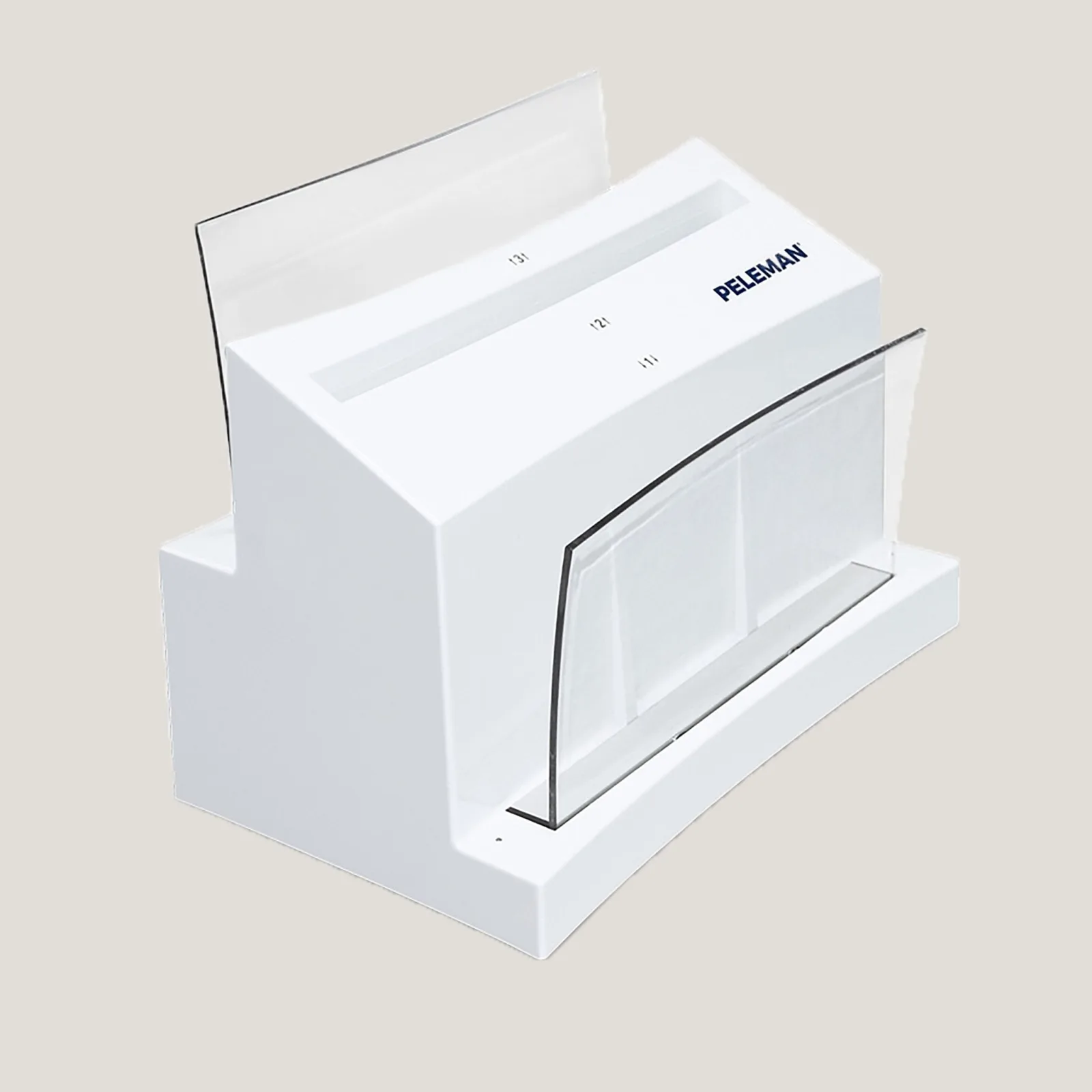
1. Peleman Unibind 8.1 Thermal Binding Machine
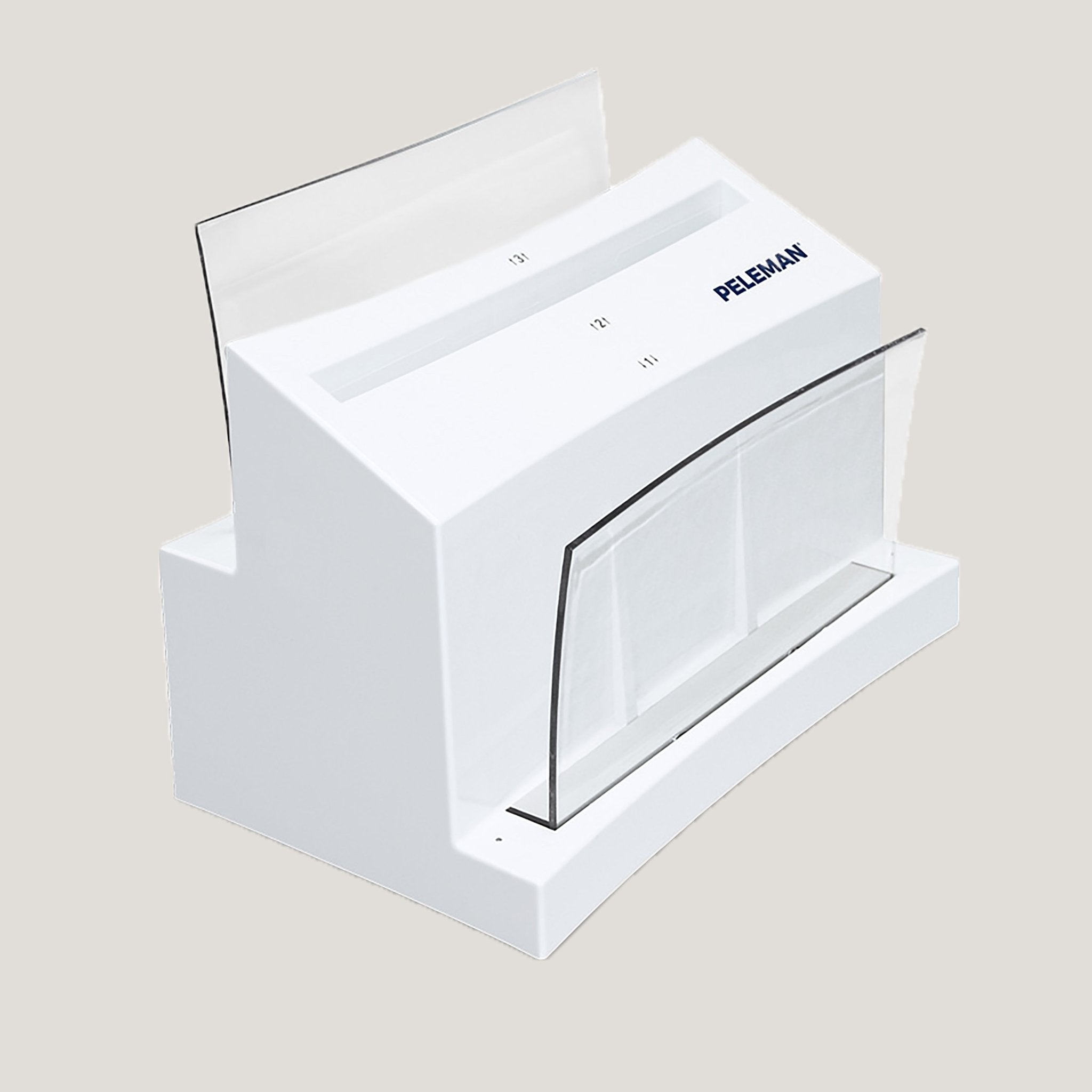
The Unibind 8.1 is a thermal binding machine for turning printed pages into a bound document with a compatible cover. Peleman describes its binding cycle as automatic and says the machine crimps the spine after heating. Crimping tightens the spine around the page block. The process avoids hole punching, which can be useful when your printed layout leaves little room for punched margins.
This model is easiest to justify if you regularly make proposals, training guides, or presentation copies and want to finish them in-house. Think about an office that prepares a few versions of the same proposal each month. The work starts with printing and checking each set of pages, then selecting the right cover and spine. Before investing in the machine, estimate how often you bind documents, what their typical thickness is, and whether your busiest projects fit the setup.
Plan around the paper you actually print on. Heavy dividers or coated pages can make a stack thicker than another document with the same sheet count. Set aside a representative printed copy so you can compare its thickness with the cover options you intend to order. Peleman’s listing uses different wording for the cycle time in its headline and description, so confirm that detail with the seller if turnaround time matters to your workflow.
2. Peleman Flex Covers, Letter Size, Clear and Matte
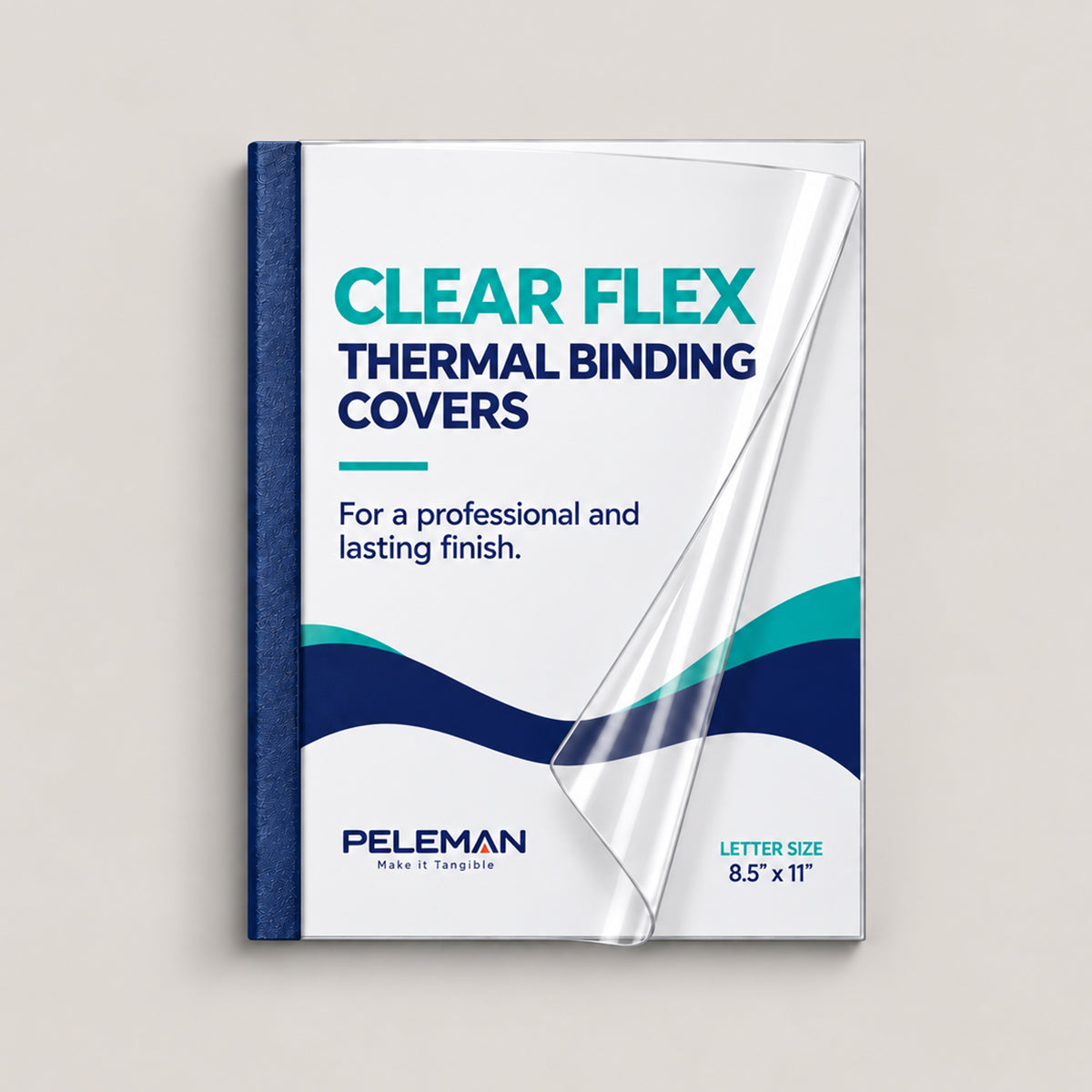
Peleman’s Crystal Flex Covers are letter-size thermal binding covers with one transparent side and one matte side. The transparent side can show a title page that you print yourself. That makes the cover practical when the document title, client name, date, or branding changes from one copy to the next. Peleman also lists multiple spine versions, with sheet ratings based on standard 20 lb paper.
These covers make sense for reports, class materials, property packets, or internal guides that need a consistent finish across multiple copies. A team can use the same cover format for different projects and change the first printed page as needed. If the title page is meant to show through, preview the design at full size and make sure important information stays clear of the binding edge.
Choose the spine by the finished stack of printed sheets. A report listed as 60 pages may contain 30 printed sheets if it is printed double-sided. Additional inserts can change the final thickness. Check the box quantity for your selected spine before ordering, especially if you need enough supplies for a class, an event, or a batch of client proposals.
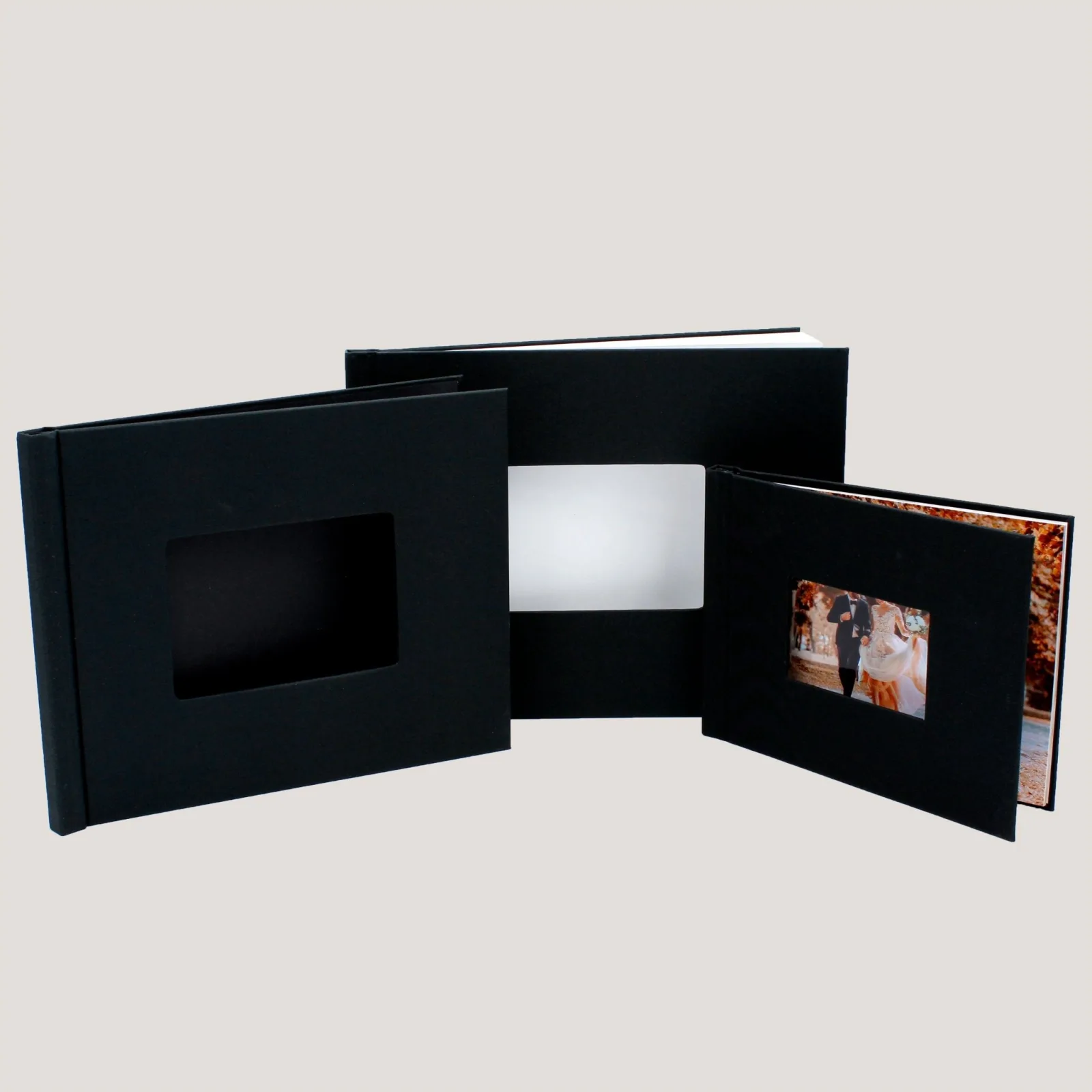
3. Peleman US Letter Portrait Thermal Binding Hardcovers With Wrapped Window
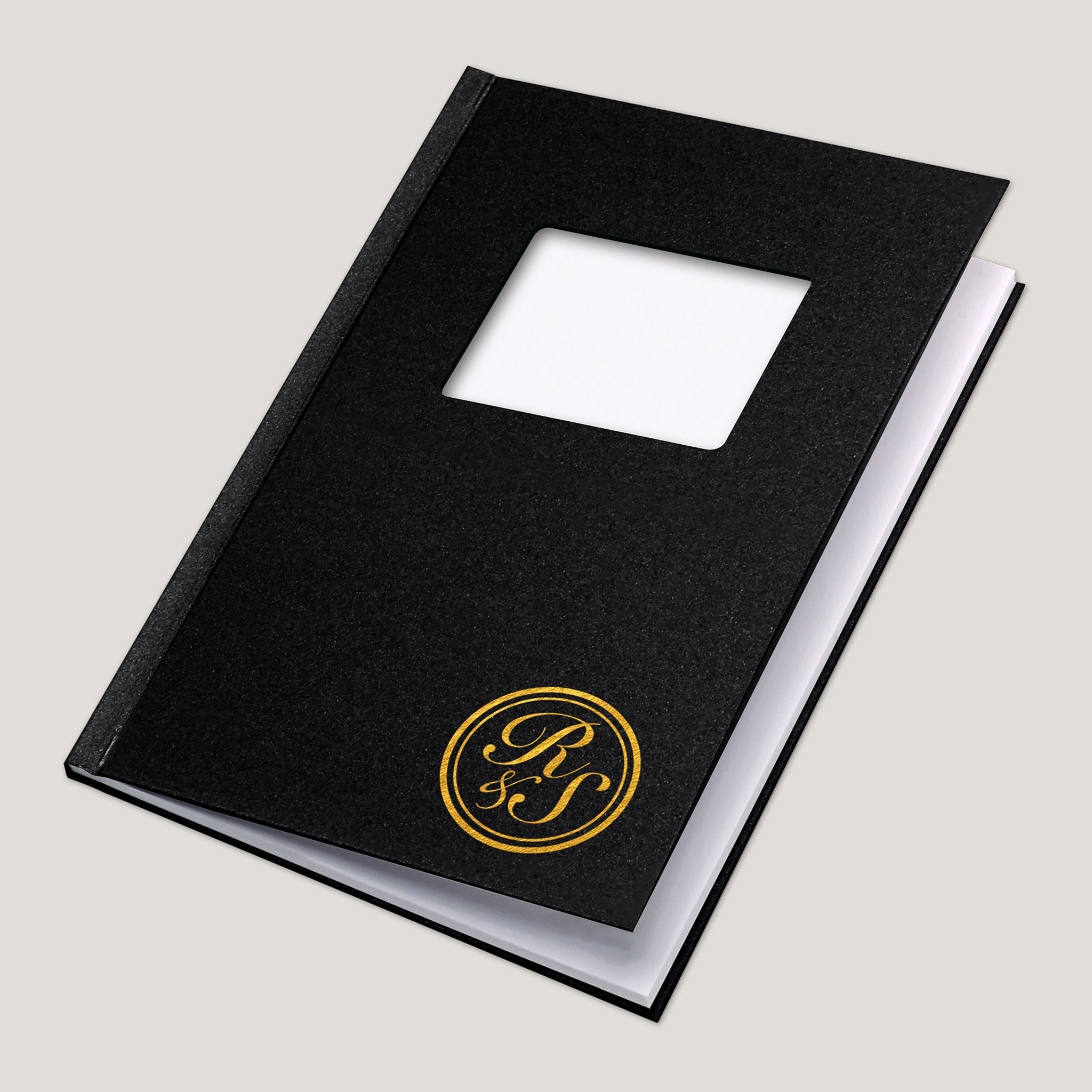
This hardcover is listed in US Letter portrait format and sold in a pack of ten. Peleman describes it as a thermal binding cover for permanently bound presentation materials. The wrapped window provides an opening for a visible identifying element. For a portfolio or presentation, that might be a project name, logo, or photograph positioned on the first page.
The format makes sense when several copies need the same rigid finish, such as a batch of year-end reports, printed portfolios, or presentation copies for several stakeholders. The fixed format also affects how you design the pages. Check the orientation and window placement before printing. A small shift in the artwork can leave a short title off-center or put a logo uncomfortably close to the edge of the opening.
Before producing a batch, use a draft print to check the window alignment and the order of the pages. Because this cover is meant for permanent binding, correcting a missing page after assembly can involve making a fresh copy. Check the selected spine size, cover color, and what the pack includes. If you want a specific paper or finish, confirm it on the exact listing rather than assuming it comes with every hardcover option.
4. Peleman Wrapped Window Clamp Binding Photobook
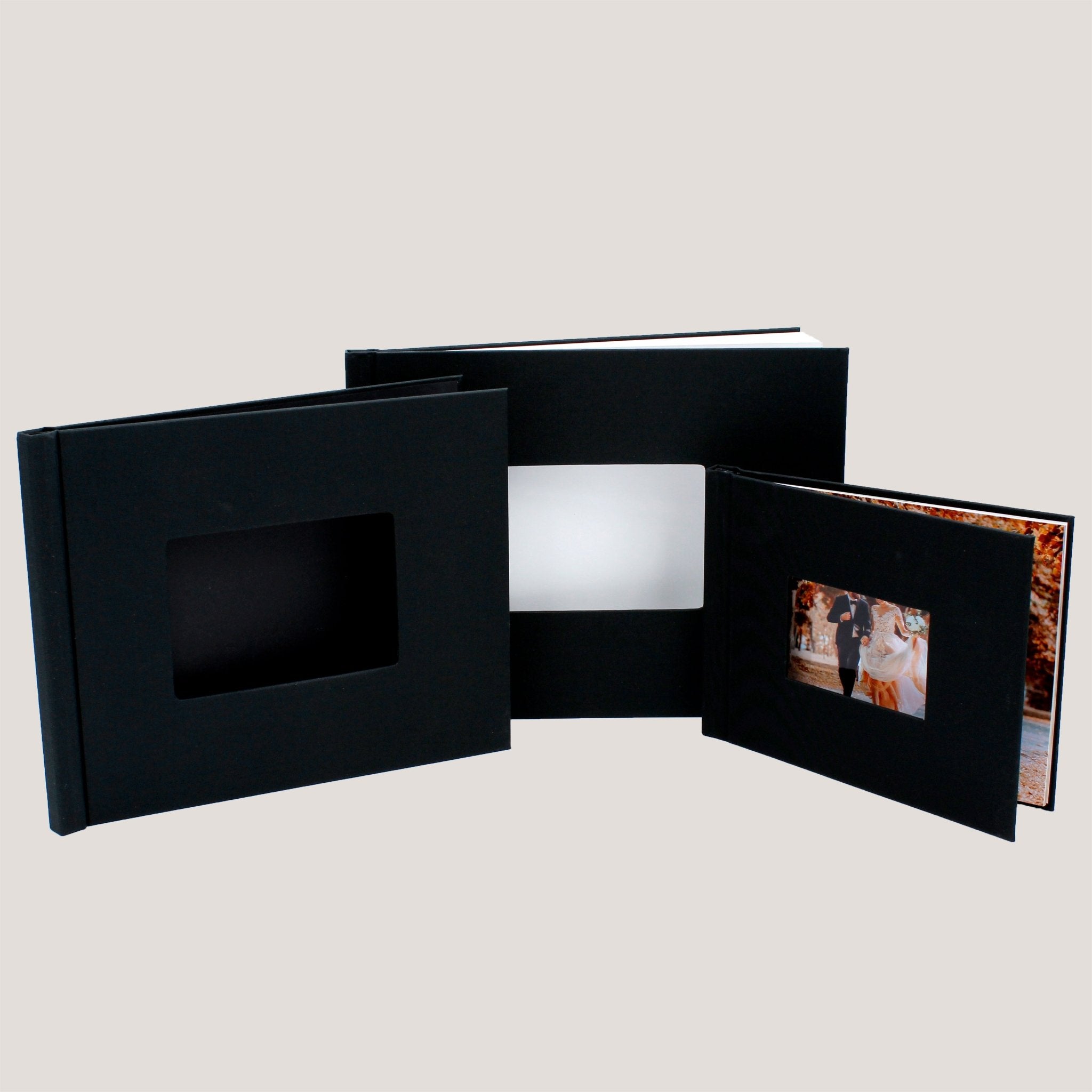
This photobook is a hardcover with a reusable clamp system. Peleman says you slide printed photos or documents into the supplied plastic insert, and you can reopen the book to edit or replace pages. Assembly requires no binding machine. The listing offers 6 × 8 inch, 8 × 10 inch, and 8.5 × 11 inch landscape options. It sells the photobook individually and states that paper for the inserts is sold separately.
The clamp is useful when a project may change. A family could add prints to a travel album after relatives share their photos, while a student could update a printed portfolio as new work is ready. Pick the book size before ordering prints and decide which image will appear in the front window. Both decisions can help prevent unnecessary resizing and reprinting.
Consider the thickness of your printed material as well as its dimensions. Peleman’s listing describes the assembly method and available sizes, but it does not give a clear capacity for every combination of paper and print thickness. If you are using heavyweight prints or mounting photos onto backing sheets, check with the store before buying for a large project.
What to Check Before Buying
- Binding method. Choose thermal binding for permanent documents and clamp binding for projects you expect to revise.
- Size and orientation. Compare the dimensions of your printed sheets with the cover. Check portrait or landscape orientation before printing or ordering.
- Spine capacity. Count physical sheets and take paper weight, dividers, and other inserts into account.
- What comes in the pack. Verify the selected variant’s quantity and whether it includes paper, inserts, covers, or equipment.
- Timing. Check delivery estimates for your address, especially if you need to print and assemble copies before a meeting or event.
Frequently Asked Questions
Do I need a machine for every Peleman cover?
The thermal covers in this review are designed for compatible binding equipment. The Wrapped Window Clamp Binding Photobook uses a reusable insert and can be assembled without a machine.
Which cover is better for a client proposal?
Flex Covers are a practical option when you want a printed title page visible through a clear front. The wrapped-window thermal hardcover suits a proposal that calls for a rigid cover and a visible name, image, or other identifying detail.
Can I replace pages in the clamp photobook?
Yes. Peleman describes the clamp as nonpermanent and reusable. Verify the dimensions and capacity for the paper you intend to use.
Conclusion
Peleman USA is worth considering if you regularly turn printed pages into proposals, training guides, portfolios, or photobooks. For ongoing thermal binding, compare the Unibind 8.1 and compatible covers as one purchase decision. Choose Flex Covers for a visible title page or a wrapped-window hardcover for a rigid presentation. For a personal album you expect to update, the clamp photobook offers a simpler setup. Start with the paper size, the thickness of the finished stack, and whether the pages need to come out later.






Reviews
There are no reviews yet.