
 Electronics & Computer
 Smart Home & Security
 Home Appliances
 Kitchen & Dining
 Power & Charging
 Gaming & Entertainment
 Automotive & Outdoor
 Health & Personal Care
 Office Electronics
 Smart Lighting & Ambient

🤝 AFFILIATE DISCLOSURE: AVERY FINDS MAY EARN A COMMISSION IF YOU PURCHASE THROUGH LINKS IN THIS ARTICLE.
Creating attractive digital content takes more than choosing a good photograph. A successful visual project may involve generating an original concept, improving image quality, adjusting lighting, and preparing the final image for a website or marketing campaign. Magnific AI brings several of these tasks into one creative platform.
For photographers, designers, online sellers, bloggers, and social media creators, this combination may offer a practical alternative to switching between several separate tools. However, the most useful feature depends on the type of content you produce and the amount of control your projects require.
This review examines four Magnific AI tools using information published on the company’s official website. It explains what each tool is designed to do, where it may fit into a creative workflow, and what to check before choosing a subscription. This is an editorial review based on published documentation, not a claim of personal hands-on testing.
WHAT IS MAGNIFIC AI?
Magnific, formerly associated with the Freepik brand, is an AI creative platform covering image generation, image editing, upscaling, video, audio, and connected workflows. Its collection of tools is intended to support different stages of content production, from early visual concepts to finished creative assets.
The platform includes an AI Image Generator, Image Upscaler, Relight, Background Remover, and other editing tools. Users can explore image models, work with references, refine existing pictures, and prepare assets for different formats.
Rather than treating every feature as essential, it helps to begin with a specific task. A photographer might need to improve an older image. An ecommerce seller may want to remove a distracting background. A designer may need several concept images, while a marketing team may want to adjust lighting across campaign visuals.
1. MAGNIFIC AI IMAGE UPSCALER

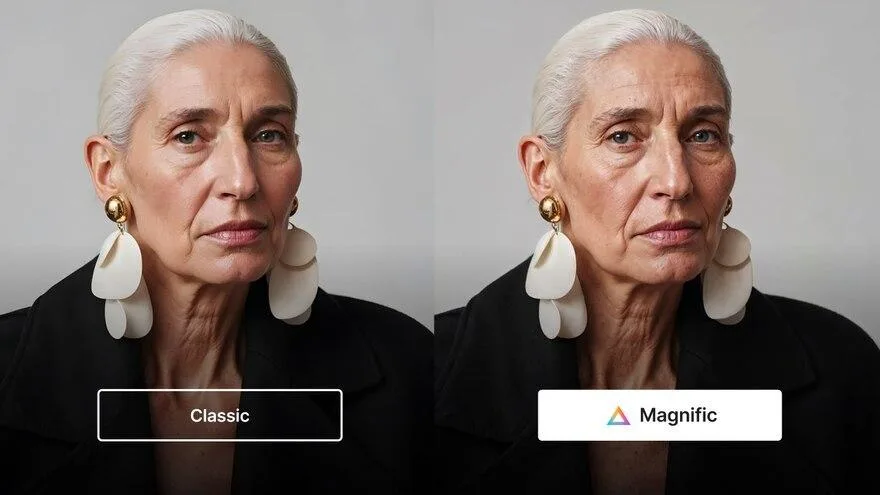
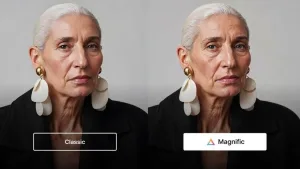
Magnific’s Image Upscaler is designed for people who already have an image and want to increase its resolution or improve its appearance. The official product page describes Classic and Magnific models, with options for different types of enhancement.
The Classic model focuses on improving the resolution and sharpness of existing images. This may be useful for photographs, website graphics, or older assets that need to be prepared for a larger display.
The Magnific Creative model offers additional creative control. Its Creativity and Resemblance settings let users explore how much new visual detail may be introduced and how closely the output follows the original image.
Magnific advertises upscaling of up to 16 times clarity with supported models and settings. Actual output capabilities and access can vary, so users should confirm the selected model and subscription requirements before starting a project.
For ecommerce content, accuracy is especially important. AI enhancement can alter small details, textures, or printed labels. Always compare the result with the original product photograph before publishing it as a representation of an item for sale.
Best suited for: Photographers, designers, digital artists, and website owners improving existing imagery.
Before using: Check the model, image dimensions, file compatibility, processing credits, and whether the enhanced result preserves important details.
2. MAGNIFIC AI IMAGE GENERATOR

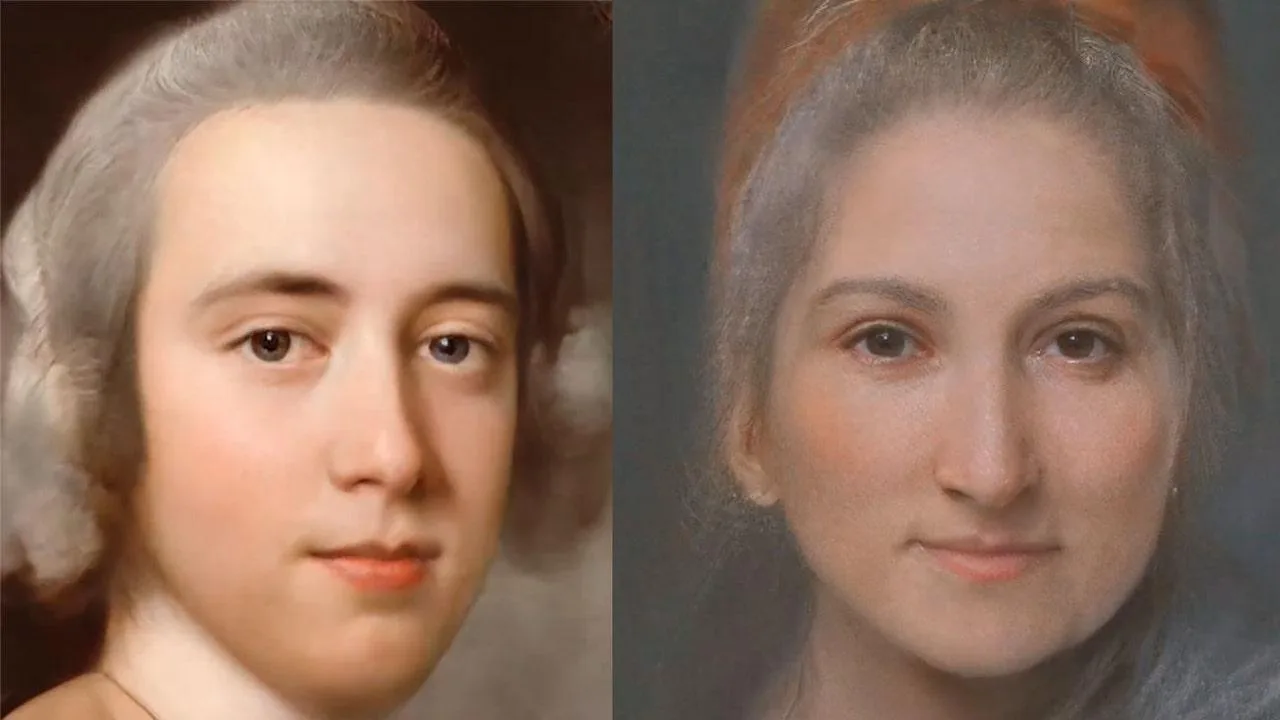
The AI Image Generator serves a different purpose from upscaling. Instead of improving an existing picture, it allows users to create new visual concepts from written prompts, reference images, or a combination of both.
Magnific provides access to multiple image model families. Its official generator page describes options from providers including Google, ByteDance, OpenAI, and other developers. Different models may be better suited to photography-style images, typography, illustration, or editing with references.
A blogger could use this tool to explore editorial illustrations. A designer might generate mood boards or campaign concepts. A small business could experiment with background ideas before arranging a real product photo shoot.
Reference images may help guide style and composition, but they do not guarantee identical results. Generated pictures can contain visual inconsistencies, especially in text, logos, fine objects, and packaging.
When using AI imagery commercially, it is important to distinguish concept art from authentic product photography. A generated image should never mislead customers about the appearance, features, or included accessories of a physical product.
Best suited for: Content creators, marketers, designers, and businesses developing visual concepts.
Before using: Compare available models, output sizes, reference controls, generation credits, and commercial usage conditions.
3. MAGNIFIC AI RELIGHT

Lighting can transform the mood of a photograph. Magnific AI Relight is designed to adjust lighting conditions in an existing image without requiring users to arrange a new physical photo shoot.
According to Magnific’s official documentation, the tool allows users to position up to three independent virtual lights. Each light can have its own direction, intensity, elevation, and color settings.
Users can also work from lighting references or presets. This may be helpful when developing portraits, advertising visuals, or stylized scenes that need a particular atmosphere.
For example, a creator might explore warmer lighting for a lifestyle image or a cooler, more dramatic treatment for a technology-themed campaign. The tool can support experimentation before a final creative direction is selected.
However, lighting changes may affect the perceived color and material of objects. If an image represents a real product, the edited result should be compared with the original to ensure that customers are not misled.
Best suited for: Portrait photographers, designers, visual marketers, and creators experimenting with lighting.
Before using: Review lighting controls, reference options, credit consumption, and the realism of shadows and highlights.
4. MAGNIFIC AI BACKGROUND REMOVER

Background removal is a common requirement for online stores, promotional graphics, portraits, and product catalogs. Magnific’s Background Remover is designed to separate the main subject from its surroundings.
The official website describes options to remove backgrounds, replace them with other images, or generate new backgrounds with AI prompts.
This can be useful when preparing a consistent set of product images for an ecommerce website. For example, a seller may want several products displayed against a clean background so that shoppers can compare them more easily.
It may also help with social media graphics where a subject needs to be placed over a branded design or a different visual setting.
Magnific explains that transparent images are downloaded in PNG format, which supports transparency. JPG files do not provide the same transparent-background capability.
Users should examine the edges of the isolated subject carefully. Fine hair, reflective surfaces, glass, and complex outlines may require additional attention before the image is ready for publication.
Best suited for: Ecommerce sellers, designers, social media creators, and photographers preparing clean visual assets.
Before using: Check the daily usage allowance, image size requirements, output format, and the quality of the background removal.
WHAT TO CHECK BEFORE SUBSCRIBING
CHOOSE THE TOOLS YOU WILL ACTUALLY USE
A large creative suite may look attractive, but the best value comes from features that solve real problems. Consider whether your main work involves generating images, enhancing photographs, changing lighting, or preparing product images.
REVIEW CREDITS AND MODEL ACCESS
Magnific offers different subscription tiers with varying credits and features. Some models and processes have different usage requirements. Check the current pricing page and the specific model before making a purchase.
CHECK COMMERCIAL USAGE RIGHTS
If you intend to use generated or edited visuals in advertising, client work, or ecommerce, review the relevant licensing terms. Also confirm that you have permission to upload and modify your source images.
VERIFY IMAGE ACCURACY
AI-generated and enhanced images may introduce unintended details. This matters especially for product photography, where colors, labels, dimensions, and visible accessories must remain accurate.
CONSIDER THE COMPLETE WORKFLOW
Think beyond the initial generation. You may also need to resize, review, export, and publish your assets. Evaluate how much time the overall workflow requires rather than judging the platform only by its demonstration images.
FREQUENTLY ASKED QUESTIONS
WHAT IS MAGNIFIC AI?
Magnific is an AI creative platform offering tools for generating, editing, upscaling, and transforming visual content, alongside video, audio, and other creative capabilities.
CAN MAGNIFIC IMPROVE LOW-RESOLUTION PHOTOS?
Yes. Its Image Upscaler is designed to increase resolution and refine image detail. The result depends on the original image and the selected model.
CAN I GENERATE IMAGES FROM TEXT?
Yes. The AI Image Generator supports creating images from prompts and working with reference images through available models.
CAN MAGNIFIC CHANGE PHOTO LIGHTING?
Yes. AI Relight allows users to adjust lighting with up to three independent virtual lights or use references and presets.
IS THERE A BACKGROUND REMOVAL TOOL?
Yes. Magnific provides a Background Remover for isolating subjects and preparing transparent or replacement backgrounds.
IS MAGNIFIC COMPLETELY FREE?
No. Some tools provide limited free access, while advanced features, higher usage limits, and certain models require a paid subscription or credits. Check the current pricing page.
IS MAGNIFIC SUITABLE FOR ONLINE STORES?
Its image enhancement and editing tools may support ecommerce workflows. However, every final image should be checked for accurate product representation before publication.
FINAL VERDICT
Magnific AI offers a broad collection of creative tools for people who regularly produce or edit digital imagery. The Image Upscaler focuses on improving existing images, while the AI Image Generator supports new visual concepts. Relight provides lighting adjustments, and Background Remover helps prepare clean assets for websites and marketing.
The platform may be worth exploring for photographers, content creators, designers, and ecommerce teams who want several AI capabilities in one place. Its value depends on your actual workload, preferred models, output requirements, and subscription costs.
Before subscribing, compare the available plans, review credit allowances, and test the workflows most relevant to your projects wherever access permits.
Editorial note: This review is based on Magnific’s publicly available official product information. Features, pricing, credit requirements, and plan availability may change. All affiliate buttons in this article open the Magnific pricing page rather than individual tool pages.





Reviews
There are no reviews yet.