
 Electronics & Computer
 Smart Home & Security
 Home Appliances
 Kitchen & Dining
 Power & Charging
 Gaming & Entertainment
 Automotive & Outdoor
 Health & Personal Care
 Office Electronics
 Smart Lighting & Ambient




🤝 AFFILIATE DISCLOSURE: AVERY FINDS MAY EARN A COMMISSION IF YOU PURCHASE THROUGH LINKS IN THIS ARTICLE.
A real estate listing usually starts with a set of photos. A video tour gives those photos an order, letting viewers see how the kitchen relates to the living area, where the main rooms sit, and which features are worth a closer look. For agents who already have good listing photography, the practical question is how much editing it takes to create a tour they would actually publish.
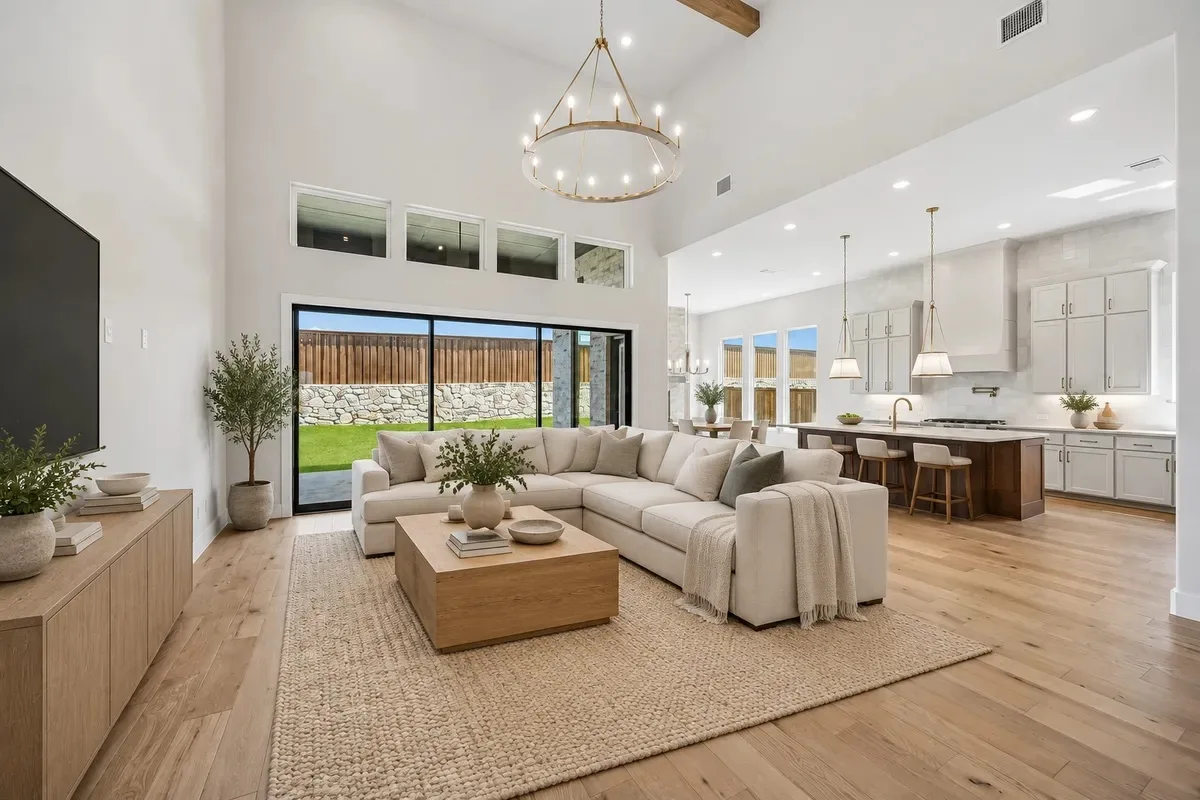
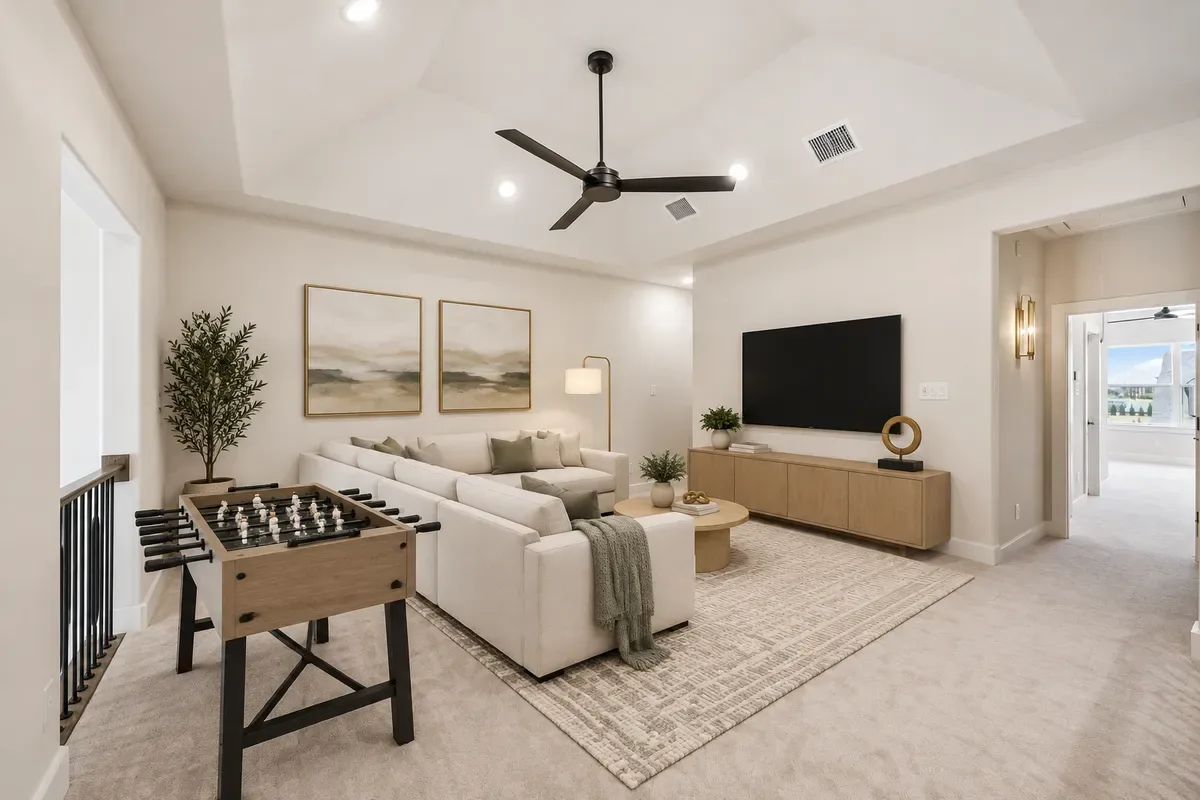
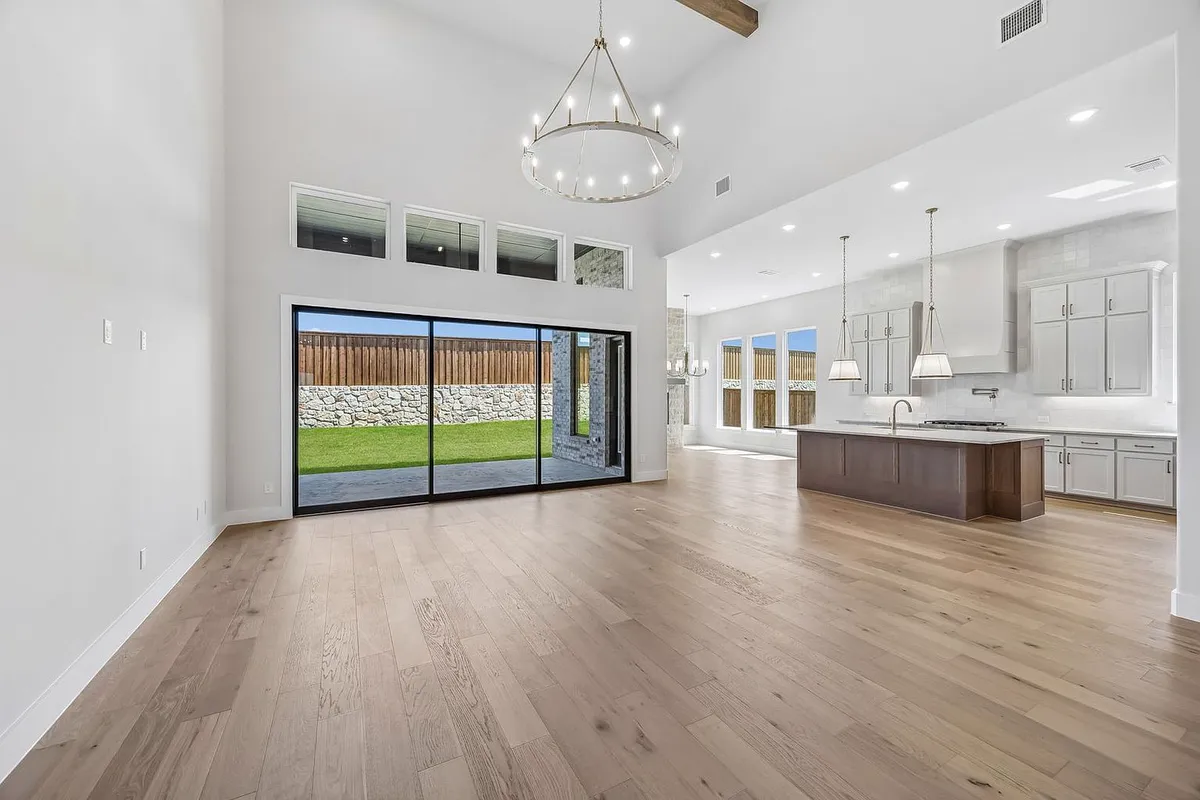
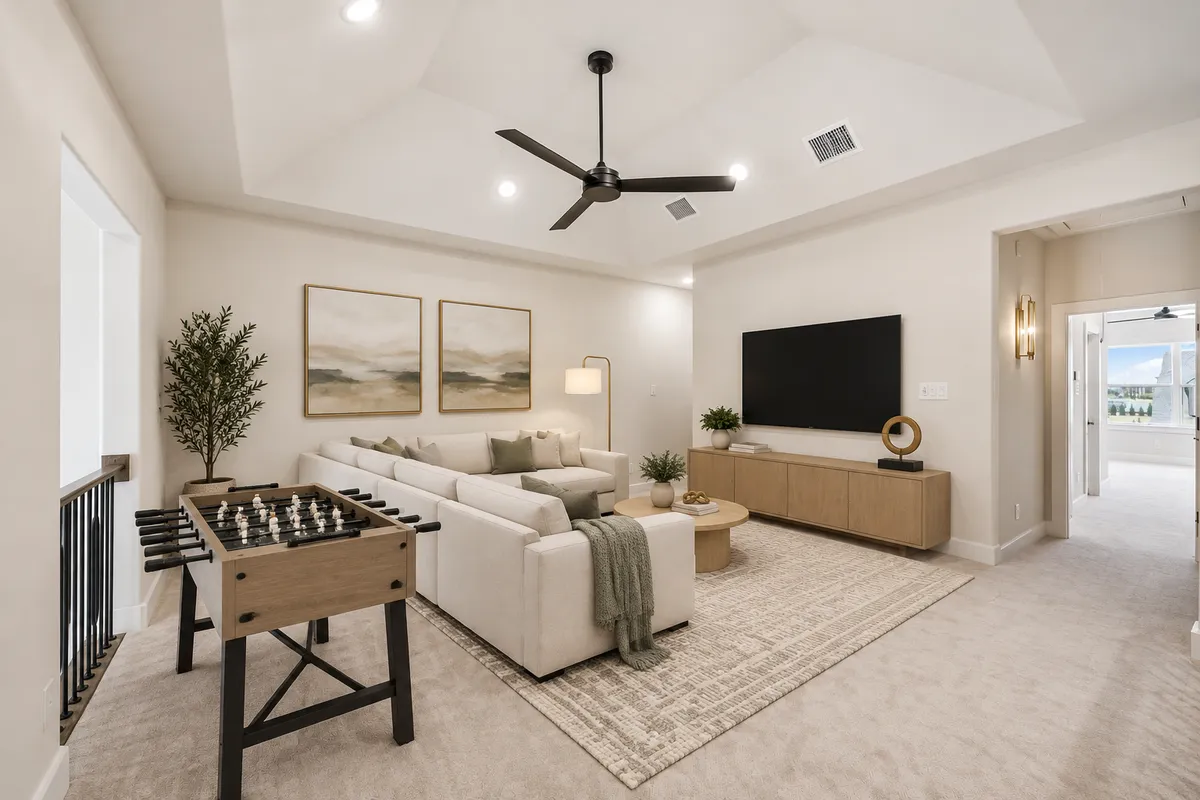
VideoTour.ai is designed to turn property photos into an editable real estate video tour. This review uses the company’s published guides to examine four parts of the process: arranging photos, adding motion, virtually staging rooms, and editing the finished video. The images show two before-and-after pairs from VideoTour.ai’s official showcase. The original photos show the unfurnished rooms, and the AI-staged versions illustrate possible furniture arrangements.
What Is VideoTour.ai?
VideoTour.ai is an online video creation platform for real estate marketing. Its documented workflow lets you upload photos or start with a supported listing import, then review the sequence before generating a tour. The editor lets you revisit individual scenes, work with captions and timing, and add existing footage. You can choose an output format suited to the place where you intend to publish.
The platform is most relevant if you already have clear property photos and want another way to present them. An agent might create a short introduction for social media from the same images used on the listing. A marketing team might combine still photography with an existing exterior clip. For an unfurnished home, staged images can help show a possible use for a room. The photos and buttons below open the VideoTour.ai homepage, where you can explore the platform and current plan options.
1. Arrange Listing Photos Into a Property Tour
VideoTour.ai supports automatic and manual photo ordering. Automatic arrangement gives you a starting sequence to inspect. Manual ordering is useful when a property has an unusual layout or when two angles need to sit together for the viewer to understand how a space works.
Begin with the image that best establishes where the viewer is. For a house, that could be a front exterior followed by the entrance. For an apartment with an open kitchen, a wide living-area photo can establish the layout before a closer kitchen shot. Keep those views near each other. A good sequence lets the viewer understand the relationship between the rooms without needing to stop and consult a floor plan.
After an import, scroll through the full photo selection. Remove duplicate angles, logos, and images that show an outdated condition. If the platform imports listing details, verify the address, asking price, room counts, and floor area before they appear in captions or narration. Starting with the right photos and facts can save more editing time than refining an effect later.
Visit VideoTour.ai to Explore Property Tours
2. Add Motion to Selected Property Photos
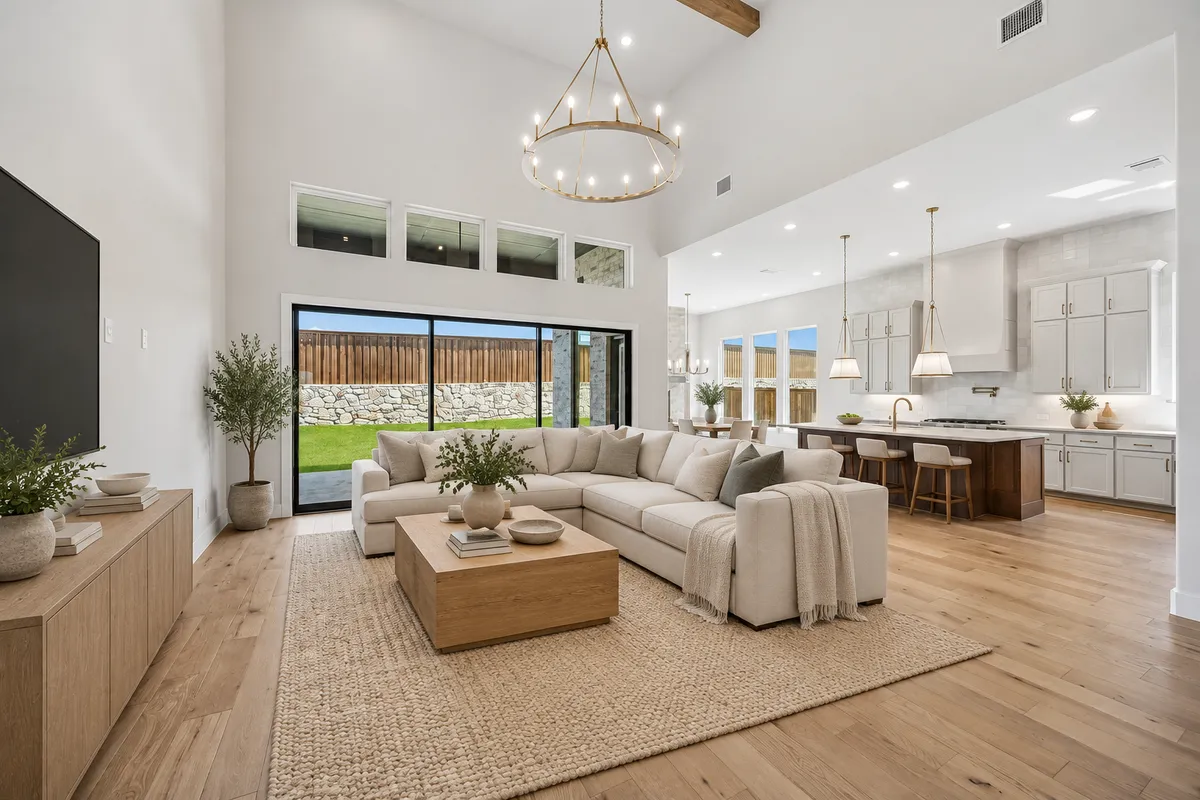
VideoTour.ai offers standard motion over a still photo and an AI Motion option that generates a camera-style clip. A straightforward pan can draw attention across a row of windows. A slight zoom can highlight a feature already visible in the photo. Generated motion is worth comparing when the opening shot or a key scene calls for a more deliberate camera move.
Give each move a reason. If the important feature is the relationship between the seating area and the kitchen, a close zoom may remove the context viewers need. If the feature is a fireplace or built-in shelving, a shorter move can help focus attention. For the staged living room above, a wide view would let viewers see the proposed furniture arrangement all at once.
Compare any generated clip with the original photo, especially around doors, windows, and the edges of the frame. A generated shot may infer details when movement reveals an area beyond the original image. If that changes what the buyer would expect to see in person, use a more restrained move or return to a standard pan. Count the time spent reviewing and revising those shots when deciding whether the workflow fits your publishing schedule.
Visit VideoTour.ai to Explore Motion Effects
3. Show Furnishing Ideas With AI Virtual Staging
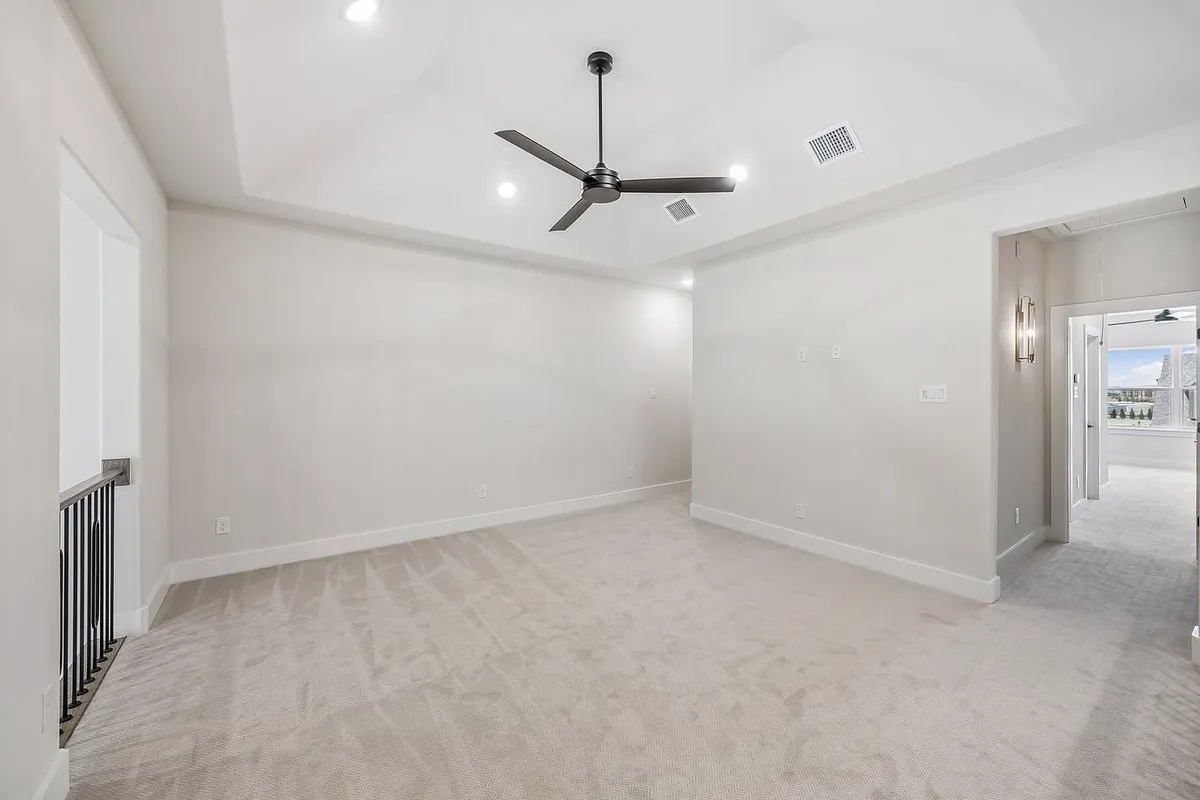
An empty loft might work as a lounge, a reading area, or a recreation room. A staging example helps viewers picture one of those uses. VideoTour.ai documents guided options for selecting a room and design style, as well as custom instructions and an optional animated reveal. A still is enough when the goal is simply to present a furnishing idea. A reveal can help when seeing the room change is part of the story.
Start with a clear photo that shows how people enter and move through the room. For the loft above, you might ask for a small sofa and table while specifying that the windows, railing, and walking routes should stay as photographed. Keep the request focused on furniture and decor. That makes the result easier to compare with the original.
Review furniture scale, access points, and permanent features before using the staged version. Look at whether a sofa appears to block a doorway or whether a new angle changes the view outside. If you show multiple angles, check that the furniture looks consistent from one shot to the next. Identify the staged scene clearly in the tour so buyers can distinguish the original room from the furnishing concept.
Visit VideoTour.ai to Explore Virtual Staging
4. Edit the Tour and Review the Export
The editor covers scene order, timing, captions, and wide, vertical, or square output formats. Choose the format based on where the tour will appear. A wide shot can explain how rooms connect on a listing page. A vertical clip can focus on one feature at a time, provided the crop keeps the important context in view.
Watch the draft at the size most viewers will see. Captions that look readable on a desktop can be too small on a phone. Give informative shots time to register and shorten repeated angles that add little. In a sequence like the loft example, keep the original and staged versions close together and leave enough time for the staging label to be read.
Apply your edits and watch the downloadable video before publishing. Check that the captions still match the scenes after any reordering, and confirm that replaced photos and corrected property details carry through to the export. When judging the platform, include this review time alongside the time needed to generate the first draft.
Visit VideoTour.ai to Explore Editing Options
What to Check Before Choosing a Plan
- Photo coverage. Check that your images explain the layout and include the features you want to highlight.
- Output format. Confirm the format and export settings you need for a listing page or social channel.
- Credit use. Review the displayed cost of AI motion or staging and consider how many attempts you might need.
- Review and labeling. Check generated scenes against the original photos and verify any virtual staging requirements for your listing destination.
Frequently Asked Questions
Can I make a property video from still photos?
Yes. VideoTour.ai documents a workflow for uploading and arranging listing photos, generating a tour, and refining the result in its editor.
Can I show a room before and after virtual staging?
Yes. You can use the original photo alongside an AI-staged image. VideoTour.ai also documents an optional animated staging reveal.
Do I need AI Motion on every scene?
A still photo or standard pan can work well for a room that is already easy to understand. Use generated motion where the movement helps a viewer see a feature or follow the tour.
How much does a VideoTour.ai project cost?
Check the current plan options and the credit amount displayed for the effects you select. Additional generations and revisions can affect your total credit use.
Conclusion
VideoTour.ai is worth evaluating if you regularly work from listing photos and want to produce editable property tours. Start with one listing and a photo sequence that makes the layout clear. Add motion or staging where it helps explain the property, then judge the finished export against the time and credits you spent creating it.






Reviews
There are no reviews yet.