
 Electronics & Computer
 Smart Home & Security
 Home Appliances
 Kitchen & Dining
 Power & Charging
 Gaming & Entertainment
 Automotive & Outdoor
 Health & Personal Care
 Office Electronics
 Smart Lighting & Ambient

🤝 AFFILIATE DISCLOSURE: AVERY FINDS MAY EARN A COMMISSION IF YOU PURCHASE THROUGH LINKS IN THIS ARTICLE.
Higgsfield AI makes more sense when you start with the piece of content you need to make. A short film scene calls for decisions about framing and camera movement. A product video starts with a clear view of the item and a message shoppers can understand quickly. A recurring virtual character needs an appearance you can carry from one post to the next. Higgsfield offers separate tools for these jobs, along with a workspace for linking multiple generation steps.
This Higgsfield AI review compares four tools: Cinema Studio, Marketing Studio, AI Influencer, and Canvas. It is based on Higgsfield’s official documentation and product illustrations. For each tool, the practical question is what you need to bring into the workflow, which parts the tool helps you build, and what you should inspect before sharing the result.
What is Higgsfield AI?
Higgsfield is an AI content creation platform with tools for generating images and videos. Its tools organize the work around different goals. Cinema Studio gives you controls for planning and generating a shot. Marketing Studio starts with a product page or image. AI Influencer gives you a place to build a virtual character. Canvas lets you link several generation steps on one board and compare their outputs.
For a first project, choose the tool whose starting point matches the material you already have. A shop owner with a product URL can begin in Marketing Studio. A video creator with a clear shot in mind can begin in Cinema Studio. If you already use several models and keep moving the same assets between them, Canvas gives you a way to organize those steps in one place.
1. Higgsfield Cinema Studio
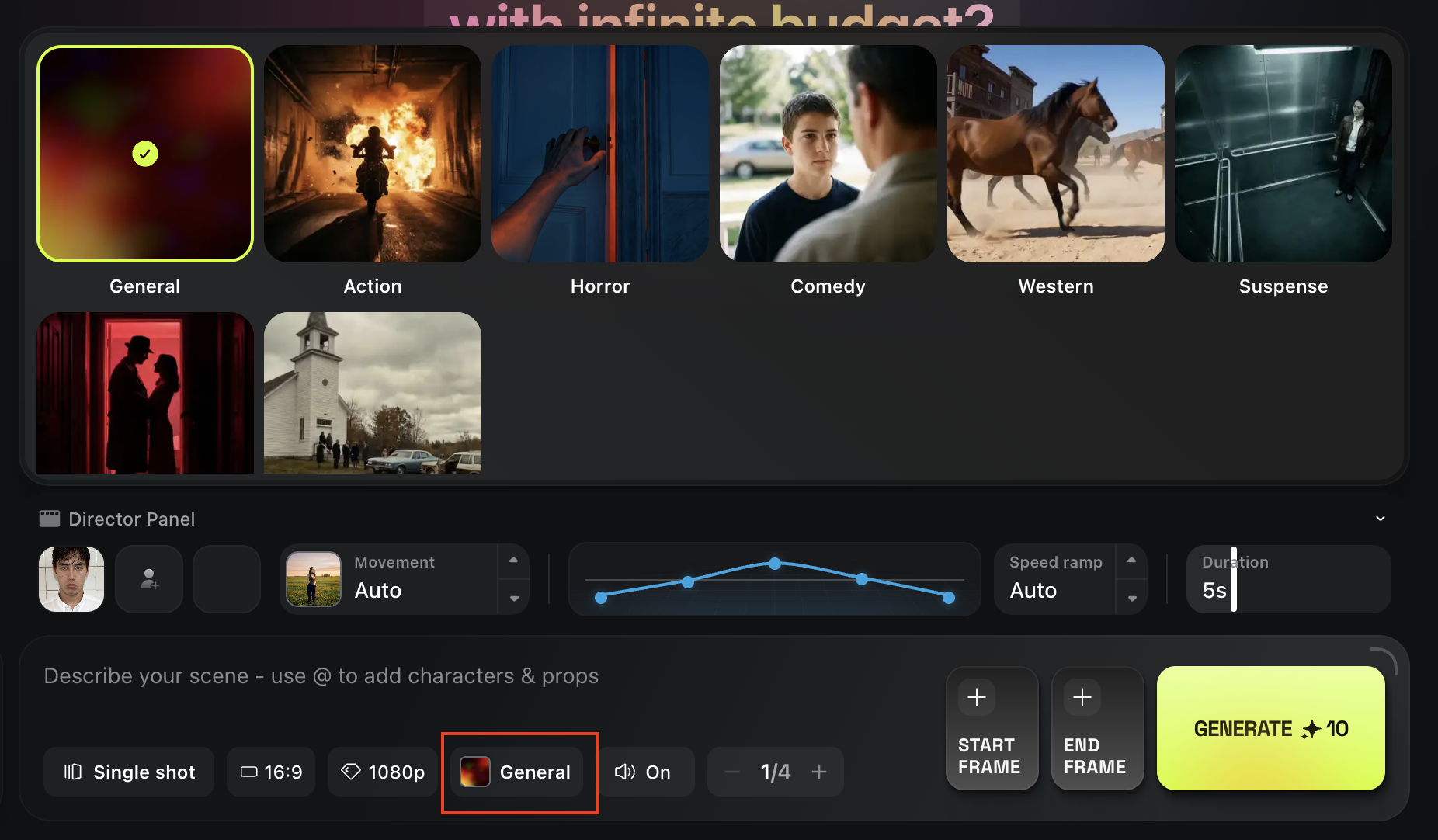
Cinema Studio is worth comparing if you care about how a shot is framed and how the camera moves. Think of a short scene that starts with a wide view of a room before moving closer to the subject. You can break that idea into separate shots and decide what the camera needs to show in each. This is useful for creators planning a storyboard, a short narrative scene, or a cinematic concept for a client.
Start with one shot whose success you can judge easily. Define what is in frame, where the movement starts, and where it should end. If the shot is meant to cut into another one, compare details that need to carry over, such as wardrobe, background lighting, and the direction the subject faces. A clip can look good on its own and still be difficult to edit into a sequence. Checking that early helps you decide which shots to develop further.
Explore Higgsfield
Opens the Higgsfield homepage. Look for Cinema Studio.
2. Higgsfield Marketing Studio
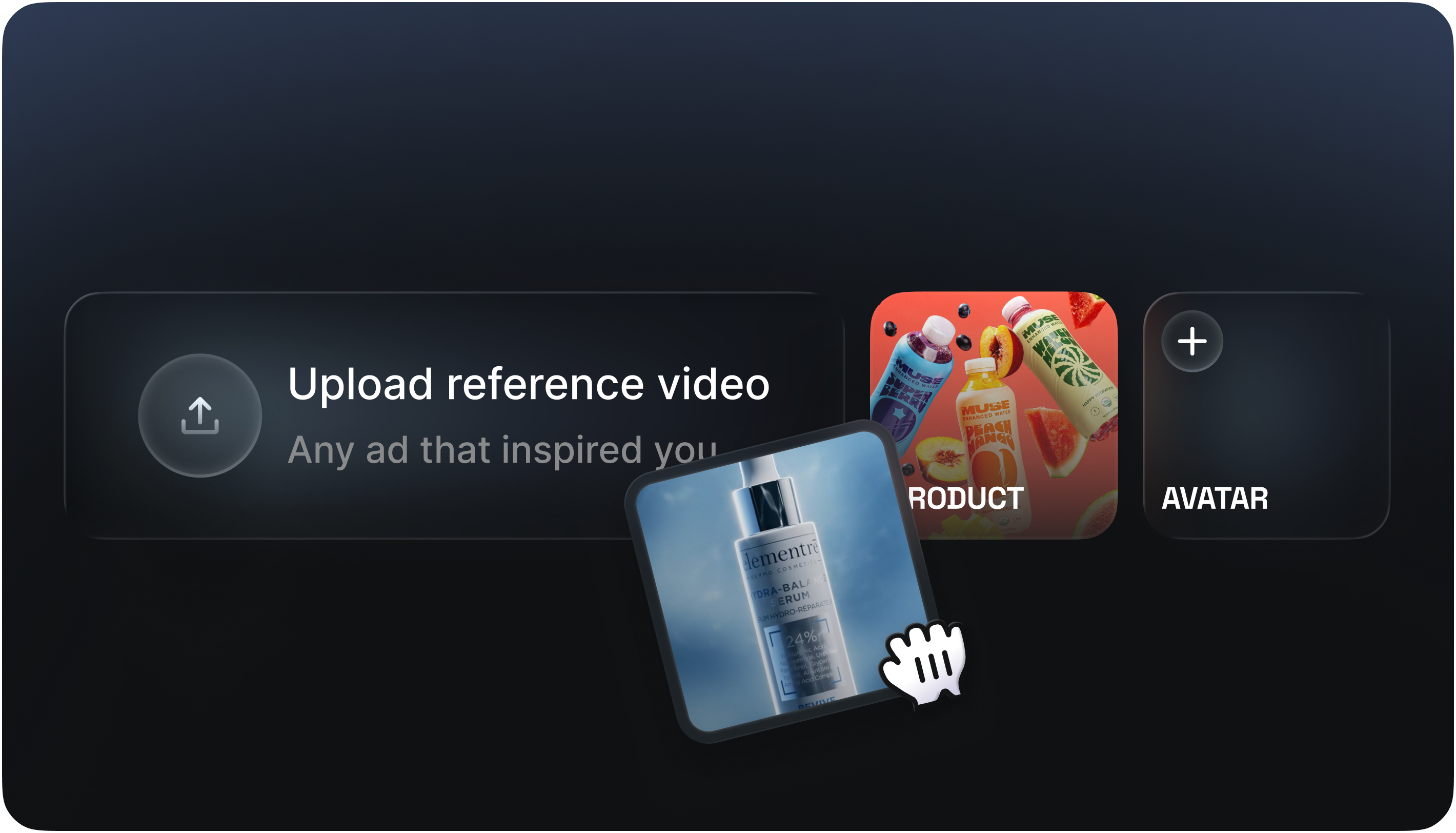
Marketing Studio is the more direct starting point for a shop owner or creative team making short product ads. Higgsfield describes a workflow that can begin with a product page URL or an image. That makes it suitable for exploring ways to present an item you already sell, including UGC-style and cinematic formats for short-form channels such as TikTok, Reels, and Shorts.
Give the first draft a single job. If you are promoting a desk lamp, for example, decide whether the clip should show how the lamp fits on a small desk or introduce the shape and finish. Before publishing, compare the result with the actual listing. Check that the product’s colour, packaging, and visible features are accurate. Read any generated captions or spoken lines for claims that the listing does not support. A strong opening shot is useful only if shoppers can still recognise the item they will find on the product page.
Explore Higgsfield
Opens the Higgsfield homepage. Look for Marketing Studio.
3. Higgsfield AI Influencer

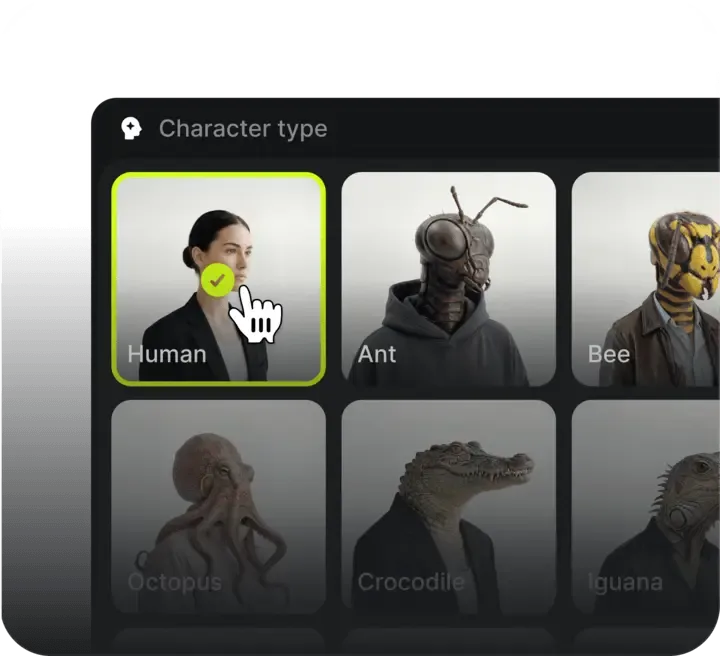
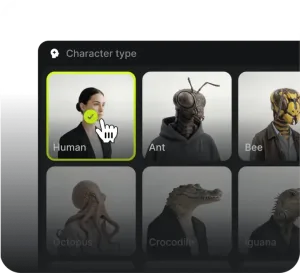
AI Influencer is designed for creating a virtual character you can bring back across multiple pieces of content. Higgsfield’s Character Builder is the place to define that character. It is worth exploring if you want a fictional presenter for an ongoing social series, an illustrated brand persona, or a consistent subject for trying out different settings and outfits.
Test the character in two scenes before building a full series. Use a straightforward portrait first, then try a different angle or lighting setup. Compare the features that make the character recognisable, including face shape, hair, and any distinctive styling. If those details vary more than your project can accommodate, refine your character reference before generating more posts. For a product promotion, describe the character as virtual where that matters to the audience, and keep any product claims grounded in information you can verify.
Explore Higgsfield
Opens the Higgsfield homepage. Look for AI Influencer and Character Builder.
4. Higgsfield Canvas
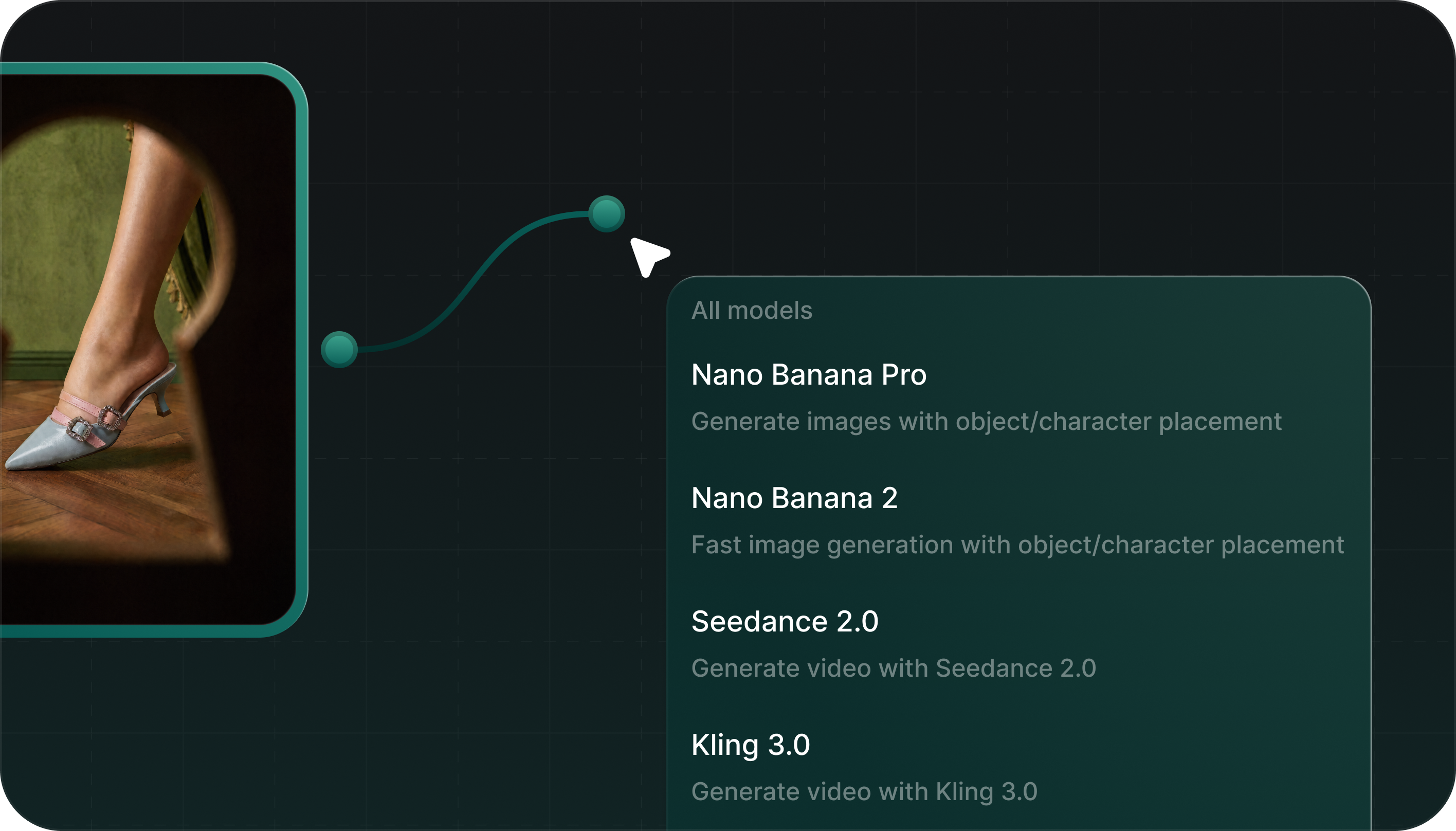
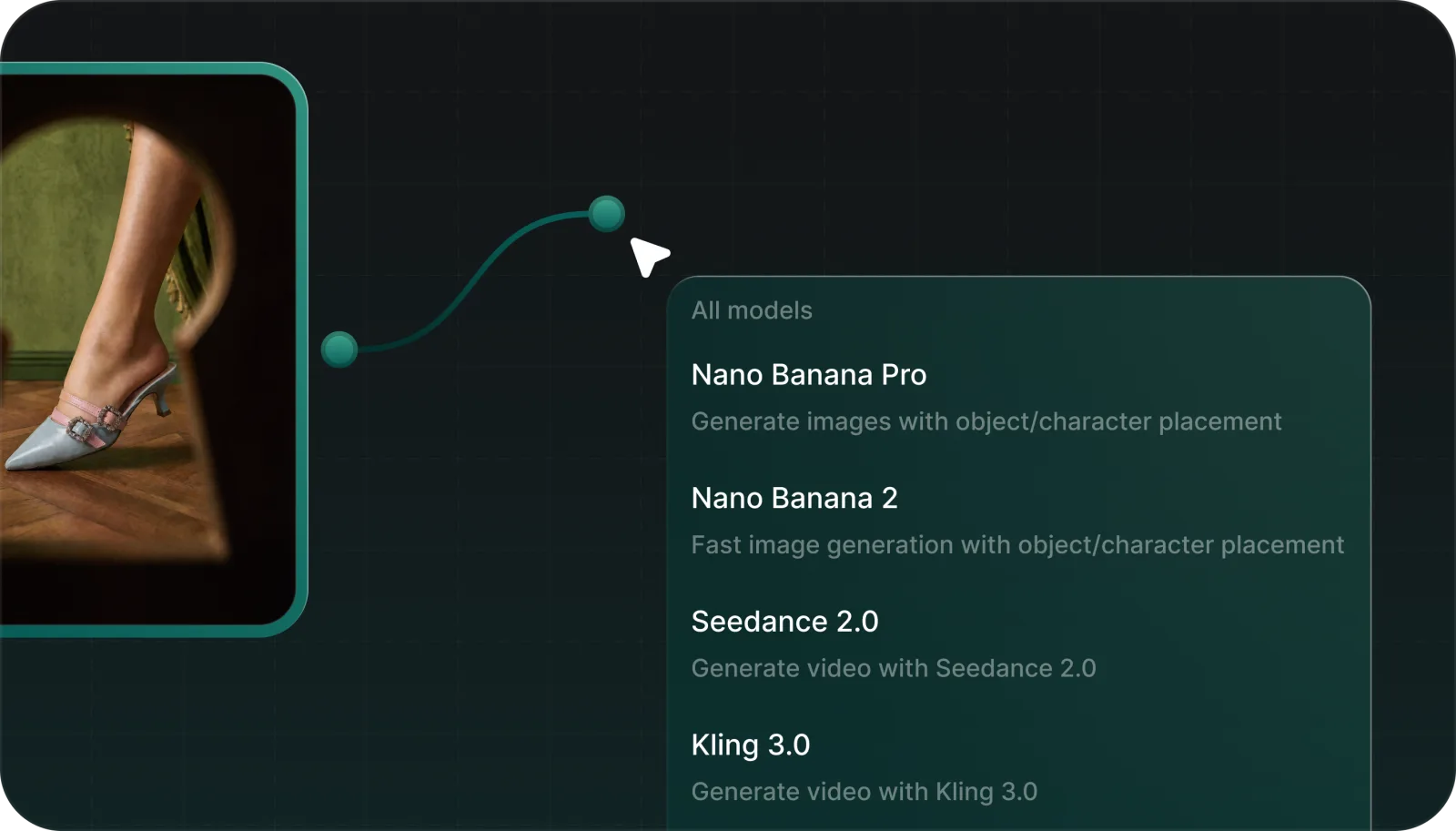
Canvas is a visual workspace for connecting generation steps. Each node represents a step in the workflow. Higgsfield’s documentation describes using nodes to pass outputs forward, run models in parallel, compare results side by side, and save a workflow as a reusable template. This is the tool I would look at first for recurring work that involves generating an image and then turning it into several video options.
For a small test, use one source image and set up two branches to compare outputs from different models. Keep the starting image and the intended result the same so the comparison tells you something useful. Once you have a branch that works for the project, save the workflow if you expect to repeat it. A visual board takes some setup, so it is most useful when you want to revisit decisions, reproduce a sequence of steps, or show a collaborator how an asset was made.
Explore Higgsfield
Opens the Higgsfield homepage. Look for Canvas.
What to check before choosing a Higgsfield plan
- Check access for the tool you want. Review the current plan details for the tool, model, and settings you intend to use.
- Allow for multiple drafts. If your project requires several versions of the same clip, check how generation costs are displayed and whether your plan fits that workload.
- Check your source materials. Confirm you have permission to use uploaded photos, product images, logos, and reference clips, especially for client work or ads.
- Review the output for its destination. Check the crop, readability, and product details on the screen where your audience will actually see the content.
Frequently asked questions
Which Higgsfield tool should I use for a product video ad?
Start with Marketing Studio if you have a product URL or image. If the project depends on a specific shot or camera move, compare Cinema Studio for that part of the work.
Can I create a recurring virtual character?
Yes. AI Influencer is designed for building a reusable virtual character. Compare a few outputs with your reference before committing to a longer series.
Do I need Canvas to generate a single video?
You can start with a dedicated tool for a single clip. Canvas becomes useful when you want to connect several steps, compare multiple model outputs, or reuse the same workflow later.
Final thoughts
Choose Cinema Studio for shot planning and camera control, Marketing Studio for ads built around an existing product, AI Influencer for a recurring virtual character, and Canvas for repeatable multi-step work. A small project with a clear brief will tell you more about the fit than trying every tool at once. Judge the first result against the details you need to preserve and the amount of editing you are willing to do before publishing.







Reviews
There are no reviews yet.