
 Electronics & Computer
 Smart Home & Security
 Home Appliances
 Kitchen & Dining
 Power & Charging
 Gaming & Entertainment
 Automotive & Outdoor
 Health & Personal Care
 Office Electronics
 Smart Lighting & Ambient

🤝 AFFILIATE DISCLOSURE: AVERY FINDS MAY EARN A COMMISSION IF YOU PURCHASE THROUGH LINKS IN THIS ARTICLE.
Choosing a VPS for WordPress or WooCommerce starts with knowing what happens on your busiest day. A shop with a modest audience can still put considerable strain on its hosting when it imports products, processes images, updates inventory, and serves checkout requests at the same time. A blog with mostly cached pages may have very different needs even if the two sites receive similar traffic.
This BandwagonHost Los Angeles DC9 review compares four E-Commerce VPS configurations from the provider’s published catalog. The options span 40 GB to 320 GB of storage, with different memory, CPU, and monthly transfer allocations. The comparison focuses on what to measure before choosing a plan. Every illustration and button opens the same DC9 order page, where you can select a configuration and billing period.
What Is BandwagonHost Los Angeles DC9?
BandwagonHost provides self-managed virtual private servers using KVM virtualization. Its order page identifies Los Angeles DC9 as USCA_9 at CoreSite LA2. The provider highlights AMD EPYC hardware and NVMe RAID-10 storage for this location. The order page also lists connectivity that includes China Telecom CN2 GIA, China Mobile CMIN2, and China Unicom Premium.
If your customers are spread across different regions, use those published network details to decide which visitor locations to test. A nearby server can be a reasonable starting point, but the route a connection takes and the work your application does also affect response times. If you already operate a store, measurements from real browsing and checkout sessions are more useful than a port-speed figure alone.
BandwagonHost supplies the virtual server and its KiwiVM control panel. You select an available operating system after activation and then manage the software on the VPS. For a WooCommerce store, that means someone needs to install and update WordPress, configure the database, monitor the site, and maintain backups. Include that time in your comparison if you currently use managed hosting.
1. BandwagonHost DC9 40 GB VPS
The 40 GB configuration lists 2 GB of RAM, 3 vCPUs, 2,000 GB of monthly transfer, and a 2.5 Gbps port. It is the smallest option reviewed here and a candidate for a development site, a lightweight WordPress blog, or a small application whose resource use you already know.
Check memory when the application and database are both active. Even a quiet site may use more resources during a backup, image import, or software update. For disk space, count the operating system, application files, media, database, logs, and temporary files. A migration can briefly require enough room for both the archive you are unpacking and the restored files.
If you are moving an existing website, use its actual disk footprint and peak memory use before committing. If you are starting from scratch, estimate how quickly the media library will grow and leave room to administer the server. Check the billing options for this size on the order page before comparing it with the other plans.
2. BandwagonHost DC9 80 GB VPS
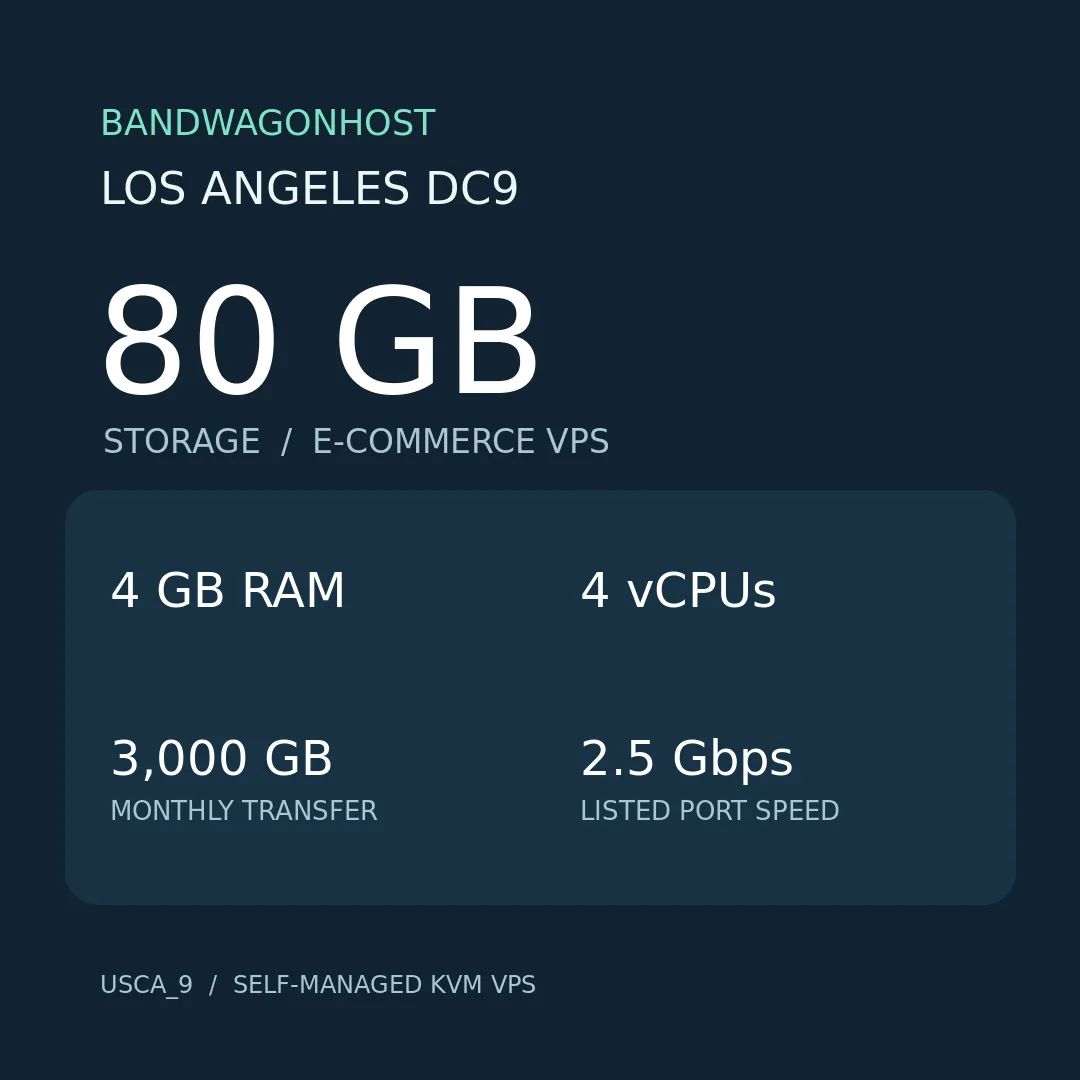
The 80 GB option lists 4 GB of RAM, 4 vCPUs, 3,000 GB of monthly transfer, and a 2.5 Gbps port. It doubles the storage and memory of the 40 GB option. That extra capacity may suit a site with a growing media library or a shop that runs its database and scheduled jobs on the same server.
For WooCommerce, compare uncached requests as well as public product pages. Look at checkout, customer accounts, product search, and the administration screens your team uses most. If your host provides usage charts, compare those measurements with the times you run stock syncs or imports. Overlapping tasks can make the difference between a configuration that seems adequate and one that has enough headroom every day.
Use a staging copy for a representative check if you can. Import a realistic number of products while another session browses or tests checkout, then watch memory and disk use during the test. That gives you a more meaningful basis for comparing the 80 GB option than a visitor estimate alone.
3. BandwagonHost DC9 160 GB VPS
The 160 GB plan lists 8 GB of RAM, 6 vCPUs, 5,000 GB of monthly transfer, and a 5 Gbps port. It is worth comparing when the web application, database, and background workers need more room to run together. The extra disk space may also help if you maintain a staging copy alongside the main site and have measured the combined workload.
If you are upgrading because a store has slowed down, record when it happens. Memory pressure during a scheduled import points to a different problem from a slow database query or a delayed payment service. Compare the larger VPS against the constraint you actually find. This makes it easier to judge whether the migration is likely to help and which application changes to make at the same time.
Before switching live traffic, test the complete cart and checkout sequence on a copy. Include transactional emails, payment callbacks, order status updates, and inventory changes. If you rely on scheduled tasks, verify that they run at the expected times. Those checks cover the work a store needs to do after the homepage has already loaded.
4. BandwagonHost DC9 320 GB VPS
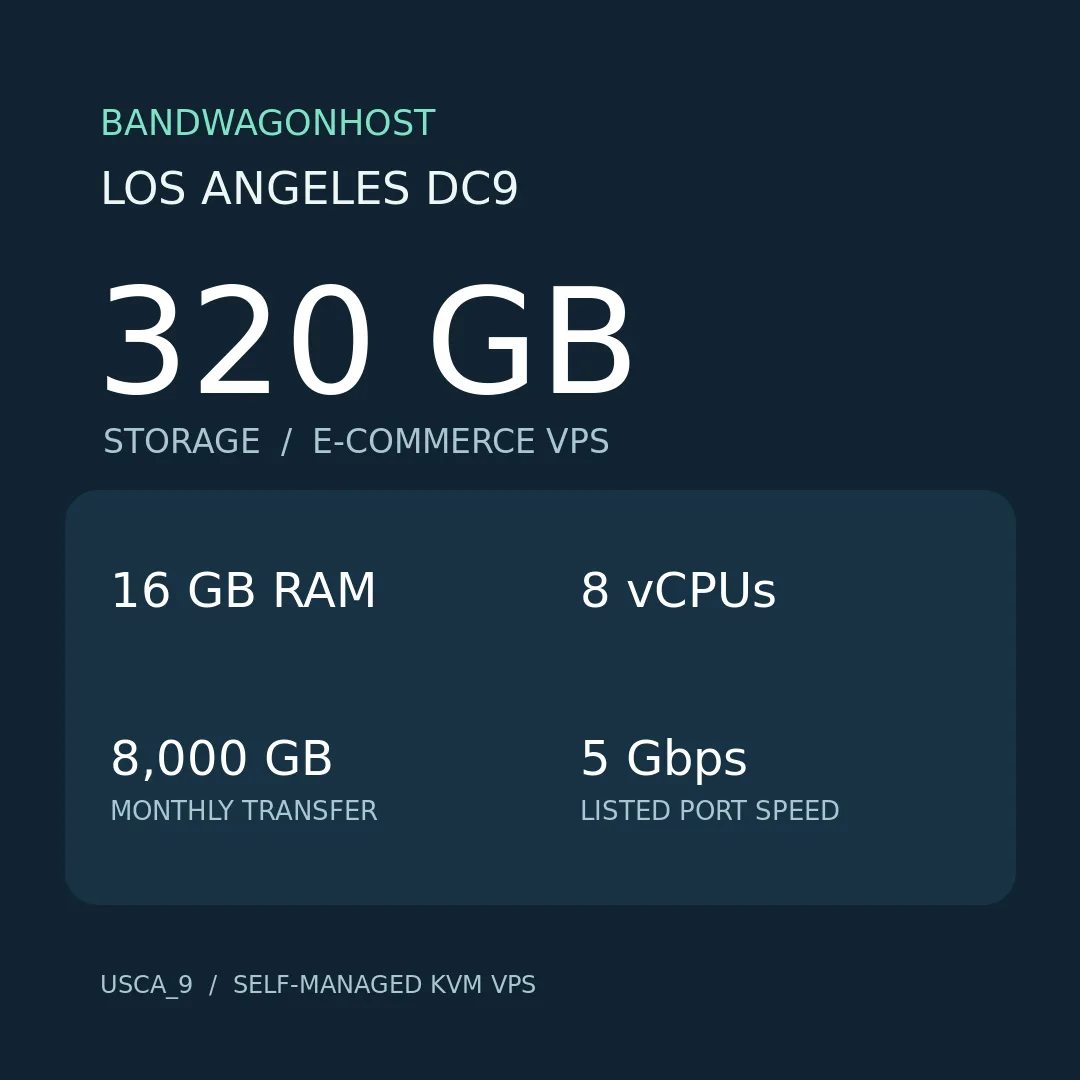
The 320 GB configuration lists 16 GB of RAM, 8 vCPUs, 8,000 GB of monthly transfer, and a 5 Gbps port. Among the four plans reviewed, it offers the most storage, memory, and monthly transfer. Compare it if you have a large local media library or several applications with measured resource needs.
Putting several projects on one server can simplify administration. It also means a restart or a storage problem can affect several sites at once. Check how their busiest work overlaps, including backups, media processing, and database tasks. Keep recoverable copies off the VPS and verify that you can restore each project separately.
If disk space is driving the upgrade, measure how much you use today and how fast it is growing. Compare that with any changes you plan to make, such as moving media off the server or changing how long you keep local backups. A storage estimate based on your own files helps you decide how soon the additional capacity would be useful.
What to Check Before Ordering
- Tier and location. Confirm E-Commerce VPS and Los Angeles USCA_9 on the order page.
- Billing and availability. Check the total due for your chosen billing period and verify that configuration at checkout.
- Storage and memory. Measure regular use and peak use, including updates, imports, and temporary files.
- Monthly transfer. Estimate monthly traffic and outbound file delivery. Read the transfer allowance and port speed as separate figures.
- Ongoing administration. Identify who will maintain the operating system, application, monitoring, and recovery.
Frequently Asked Questions
Does E-Commerce VPS include WordPress or WooCommerce?
E-Commerce VPS is the name of the hosting tier. The service is self-managed, so you or your administrator handles WordPress installation, WooCommerce setup, and maintenance.
What can I do in KiwiVM?
BandwagonHost lists operating system selection, start and stop controls, emergency console access, usage statistics, and snapshots among the panel’s features.
Does a 5 Gbps port guarantee a faster checkout?
Checkout speed also depends on your application, database, plugins, payment provider, and the shopper’s connection. Test the complete checkout flow to evaluate your deployment.
Conclusion
BandwagonHost Los Angeles DC9 is worth comparing if you want a self-managed VPS at this location and can maintain the software yourself. Consider 40 GB or 80 GB for a lean workload you can measure. Compare 160 GB or 320 GB when your memory, storage, or transfer figures justify more capacity. Confirm the configuration and billing total on the USCA_9 order page before ordering.




Reviews
There are no reviews yet.