
 Electronics & Computer
 Smart Home & Security
 Home Appliances
 Kitchen & Dining
 Power & Charging
 Gaming & Entertainment
 Automotive & Outdoor
 Health & Personal Care
 Office Electronics
 Smart Lighting & Ambient


🤝 AFFILIATE DISCLOSURE: AVERY FINDS MAY EARN A COMMISSION IF YOU PURCHASE THROUGH LINKS IN THIS ARTICLE.
A good real estate listing video gives buyers a sense of how a home fits together. The front door leads somewhere, the kitchen connects to another room, and the garden has a place in the story. If you already have a professional photo set, VideoTour.ai gives you a way to turn those stills into a property video with camera movement, captions, music, and optional narration.
For agents and property marketing teams, the practical question is whether that workflow fits the way you already prepare a listing. This review covers four features that shape the result: how you bring in and arrange photos, where you add AI movement, what goes into the voiceover, and how you prepare the finished video for different channels. It is based on the platform’s published product information and walkthroughs.
What Is VideoTour.ai?
VideoTour.ai is an online video creation platform built around real estate listings. A project starts with property photos and listing information. From there, you choose presentation options, generate a draft, and review it in an editor. The platform can produce a downloadable video and offers sharing options such as an MLS viewing link and a property page. The official guides also describe tools for managing captions, music, and narration.
The strongest fit is a team that already has a repeatable photography workflow and wants another way to use those assets. A listing agent might need a wide video for a property page and a short vertical edit for social media. A photographer might want to discuss a photo-based video as an additional service. In both cases, someone still needs to choose the right scenes and approve the final version.
1. Property Photo Upload and Scene Order
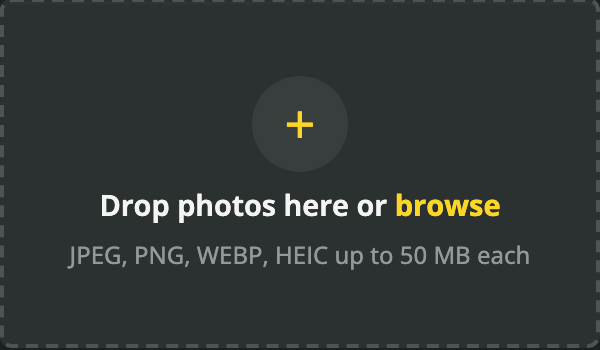
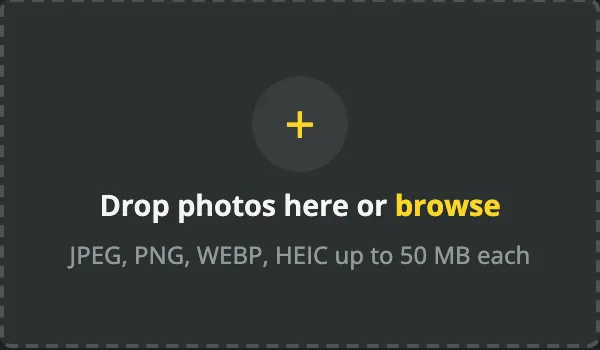
The documented workflow lets you upload your own photos and combine them with imported listing photos. The upload guide lists JPEG, PNG, WebP, and HEIC, with up to 60 images and a maximum of 50 MB per file. You can check the thumbnails before generating the tour. The software offers automatic rearrangement, and you can choose a manual order when you want to control the route through the property.
The order matters because a photo gallery and a video serve different purposes. A gallery can put every strong image near the top. A video is easier to follow when a viewer understands where each room sits in the sequence. For a typical home, you could open with the exterior, move through the entrance and living area, then show the kitchen, bedrooms, and outdoor space. Remove repeated angles unless a second view shows something genuinely useful, such as the doorway connecting two living areas.
Importing listing details can save retyping, but review the address, price, floor area, and room counts before using them in captions or narration. This matters especially when reusing photos from an older listing or working from a description that was written before the property was updated.
2. AI Motion for Selected Listing Photos
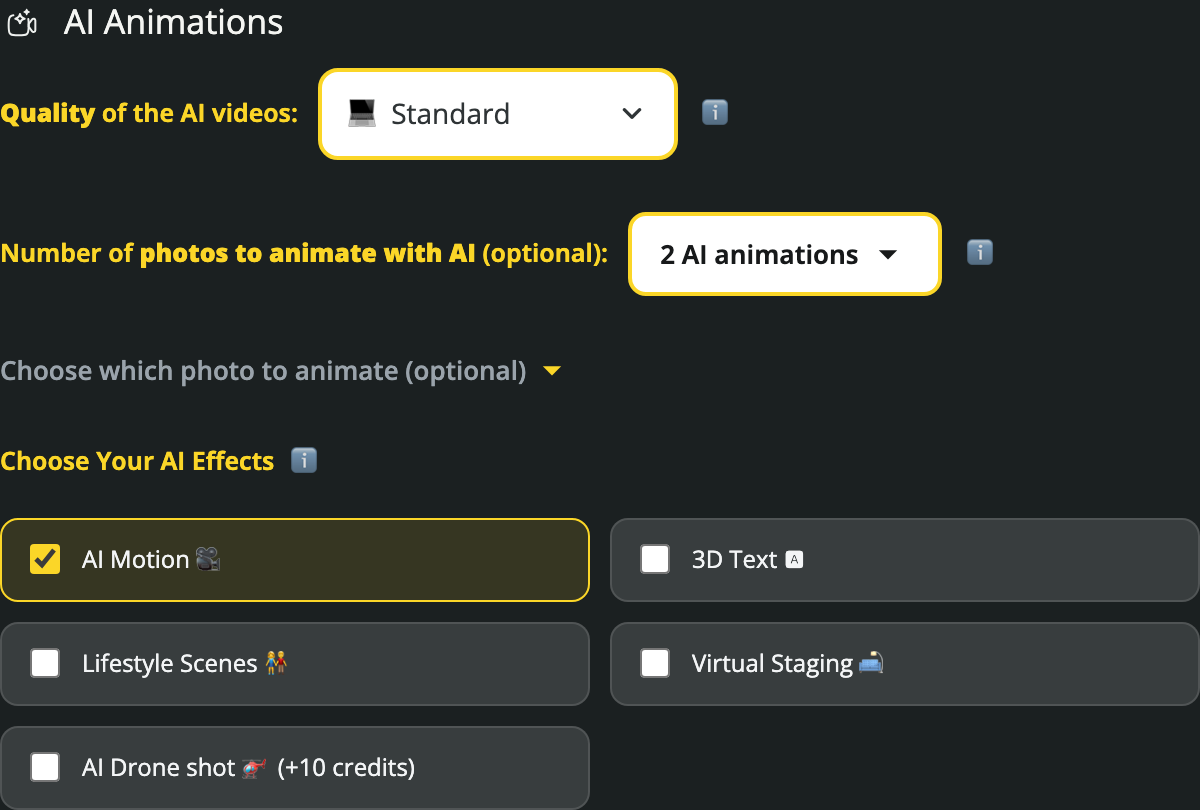
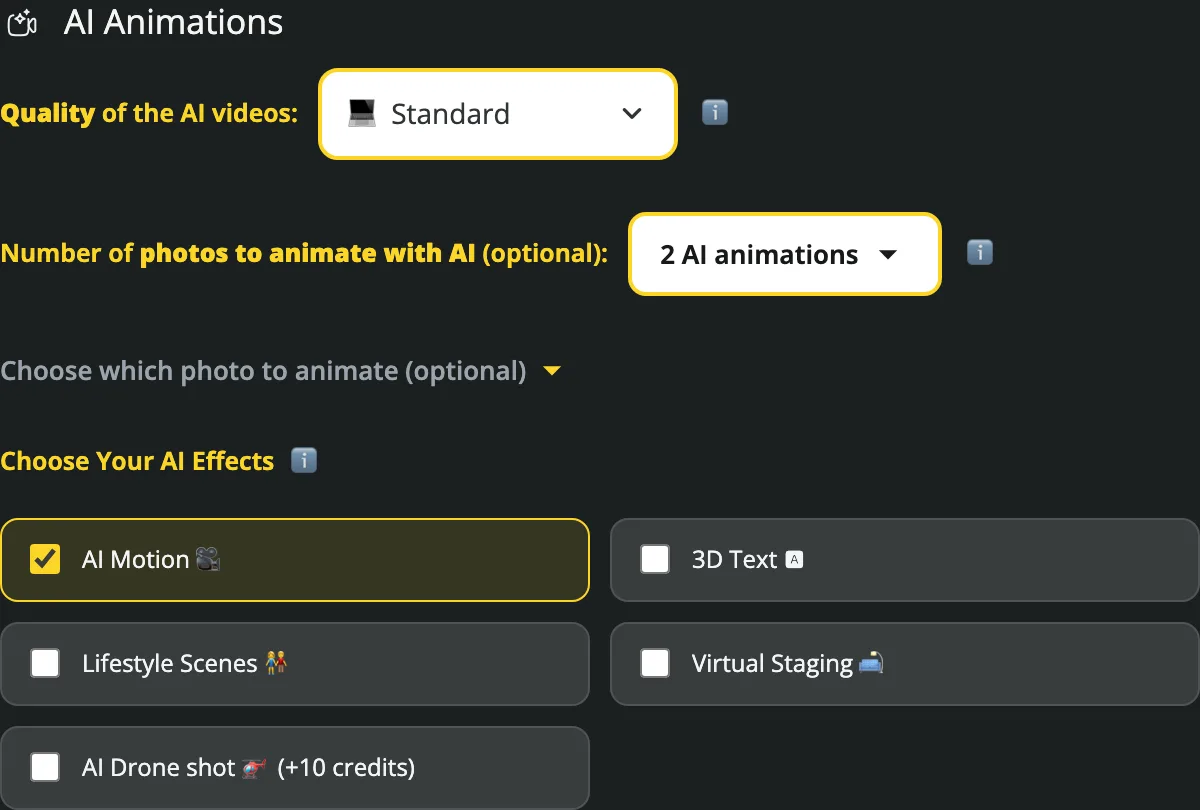
AI Motion adds apparent camera movement to a still listing photo. The creation guide shows controls for animation quality, how many photos to animate, and which views to use. It also shows where to check the total before generating the video. This is useful when the listing has a few standout photographs that would benefit from more emphasis.
Start with the scenes that have a clear subject and enough context to make the movement feel natural. An exterior, a living room with a visible adjoining space, or a well-framed terrace can be good candidates. Use the preview to inspect door frames, windows, furniture edges, reflections, and any area where the clip appears to reveal more of the room. If a scene suggests an inaccurate layout, choose a simpler treatment or replace the clip with the original still.
The trade-off is that each generated effect adds another decision to review. A straightforward sequence may be enough for a compact apartment. A larger property with distinct interior and outdoor spaces gives you more opportunities to use motion selectively. Compare the effect you want with the credits shown for that project before committing.
3. Voiceover, Captions, and Music
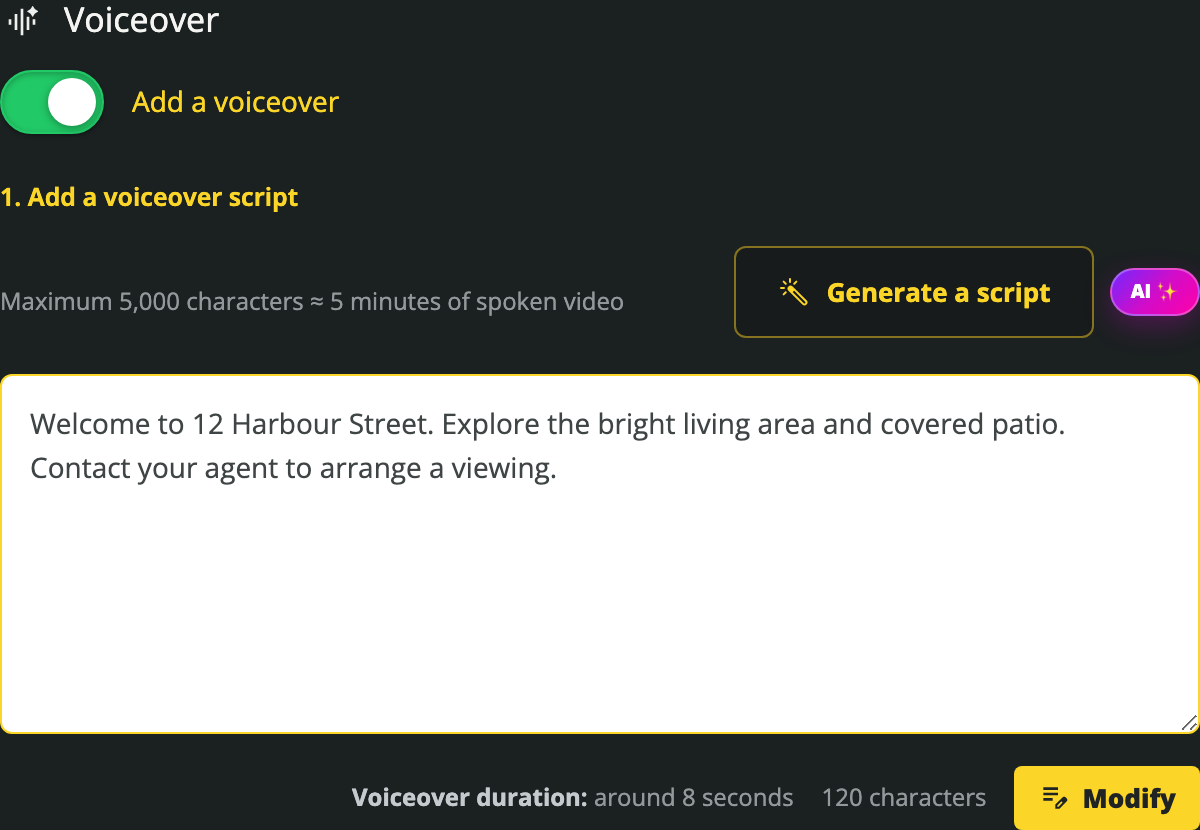
For supported tour types, you can write your own narration or ask the platform to prepare a script from the checked listing details. Captions and background music give you other ways to communicate the essentials. The guide also identifies a limitation worth checking early: the Walkthrough Tour template does not support tour narration or an avatar presenter.
A short script works best when it tells the viewer something the shot alone cannot. An entrance clip can establish how the main floor is arranged. A kitchen clip can point out its connection to the dining area if the photos and listing support that detail. Captions can carry the most useful facts for viewers who start the video with sound off. Avoid reading a long listing description over a fast sequence of rooms.
Before exporting, listen for the pronunciation of street names and neighborhoods. Make sure a caption appears while the relevant room is on screen, and check that the background music leaves room for the narration. If the price or another listing detail changes, review both the spoken and written versions so they stay consistent.
4. Video Formats, Editing, and Sharing
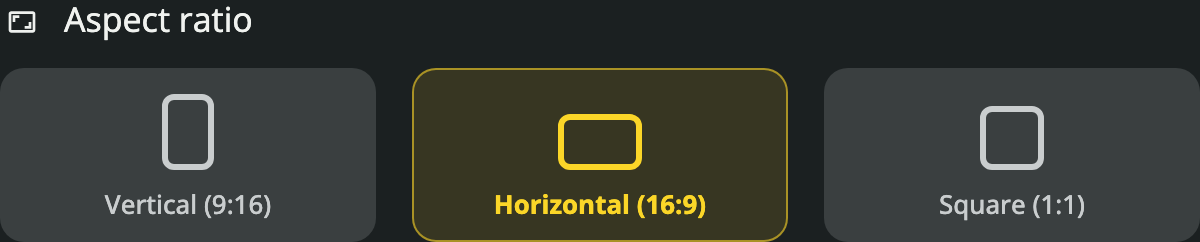
VideoTour.ai documents three aspect ratios: horizontal 16:9, vertical 9:16, and square 1:1. A landscape version is a sensible starting point for a website player or presentation. A vertical version is designed for phone-first viewing. Square can be useful when the placement calls for it. Decide where the video will appear before settling on the sequence and framing.
Pay particular attention to wide room photos in a vertical video. The framing that works for a landscape photo might lose a doorway or island when cropped for a phone. Preview those scenes at the intended size and keep text clear of important visual details. The official workflow also distinguishes saving edits from applying them to an updated video. After making corrections, apply the changes and review the updated version before downloading or sharing it.
VideoTour.ai’s Share controls offer an MLS viewing link and a property page with listing details and an enquiry form. If you intend to share through an MLS, check that service’s local rules on branding and external links before choosing the version to submit.
Visit The VideoTour.ai Website
What to Check Before Choosing a Plan
- Photo quality and usage rights. Use clear, current images you have permission to publish. Choose shots that accurately show the space.
- Plan limits and credits. Check how many videos you need each month and what the selected generation options cost. Verify the billing interval and any watermark or export conditions on the current plan.
- Where the video will appear. Decide whether you need a listing-page video, a social reel, or an MLS link. Check requirements for each destination.
- Time for review. Allow time to check property facts, motion, framing, audio, and the final export. A representative listing is a good way to assess the workflow before assigning it to several properties.
Frequently Asked Questions
Can I make a property video using only photos?
Yes. You can start with existing listing photos and arrange them into a video. The official guide also says existing video footage can be added later in the editor.
Can I make a vertical real estate video?
Yes. Choose the 9:16 vertical format and check how wide interior photos and captions fit on a phone screen before sharing.
Can I choose which photos get AI motion?
Yes. The setup guide shows how to choose specific photos or let the app select them. Review the animation settings and credit total before generating the tour.
Final Verdict
VideoTour.ai is worth evaluating if you already shoot or commission listing photography and want a repeatable way to turn it into video. Begin with one property that represents the listings you handle most often. Check whether the photo order feels natural, whether motion preserves the layout, and whether the exported video suits the channel you publish to. Those checks will tell you more about the fit than any single feature on the plan page.











Reviews
There are no reviews yet.