
 Electronics & Computer
 Smart Home & Security
 Home Appliances
 Kitchen & Dining
 Power & Charging
 Gaming & Entertainment
 Automotive & Outdoor
 Health & Personal Care
 Office Electronics
 Smart Lighting & Ambient
⚡ AOHI Review: Four Chargers, Power Banks and Cable Options Compared
Affiliate disclosure: This article contains affiliate links. Avery Finds may earn a commission from qualifying purchases through these links, at no additional cost to you. We are an independent affiliate publisher.
A charging upgrade starts with identifying the problem you want to solve. You might need more connections at your desk, battery power away from an outlet, a smaller wall adapter, or a cable that suits different distances. These are separate decisions, even when the products come from the same brand.
This AOHI review compares four products from the official store: the Future AI 280W desktop charging station, Starship 240W 27,600mAh power bank, Youth 100W GaN charger, and Future PRO Creative Power Cable Set. The goal is to explain their different roles and the compatibility questions worth answering before you buy.
Review method: Official product information was checked on October 30, 2026. This is a research-based buying guide, not a hands-on test. We have not independently measured charging speeds, usable battery capacity, temperature, or durability.
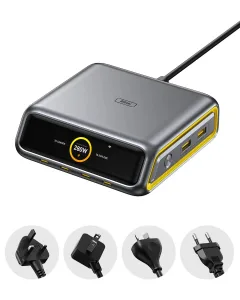
1. AOHI Future AI 280W Desktop Charging Station

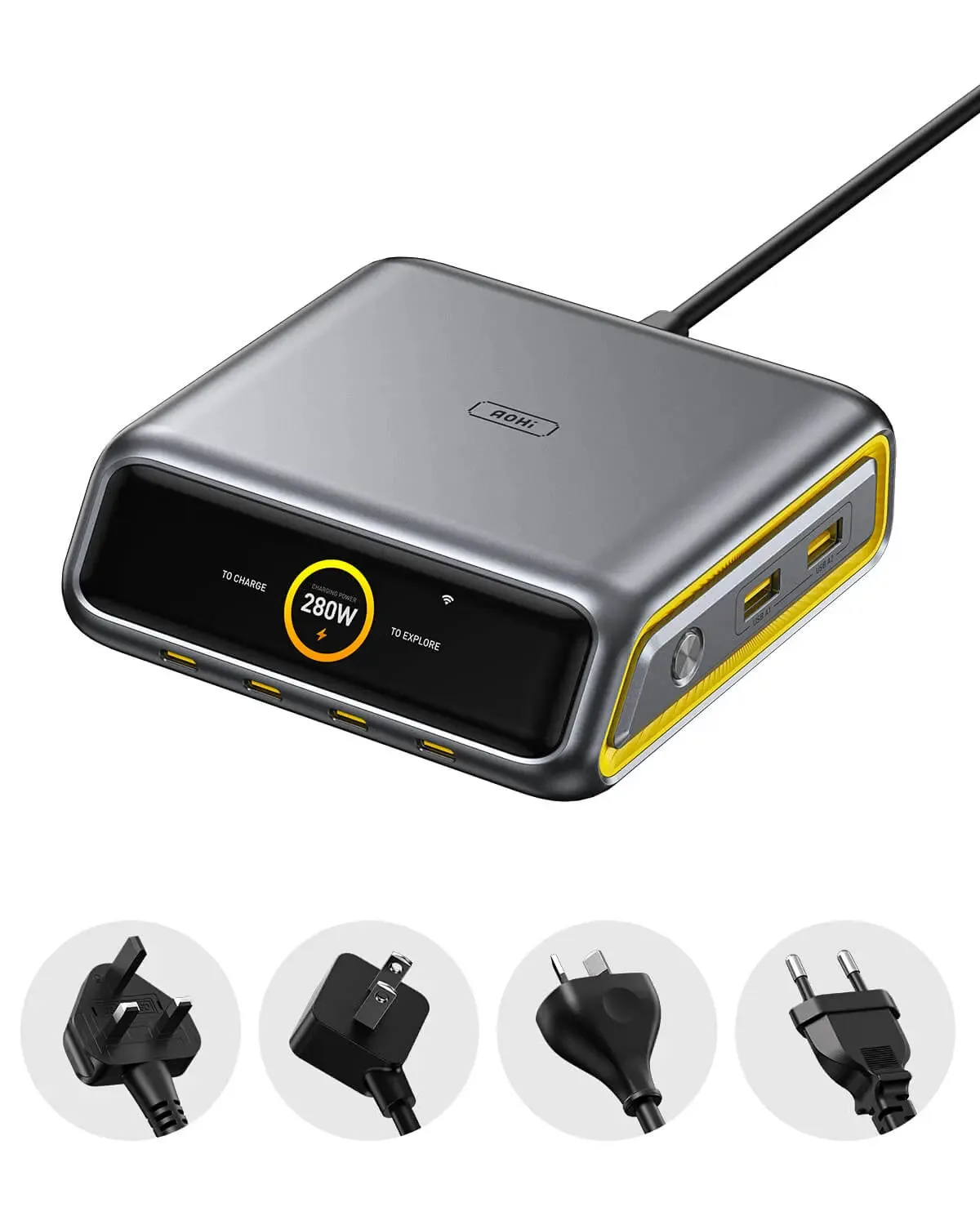
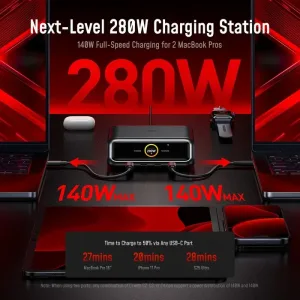
AOHI lists this desktop model with up to 280W total output, four USB-C ports, and two USB-A ports. The specification identifies USB-C1 as supporting up to 240W. It also describes a charging-status display, three operating modes, and app control. US, EU, UK, and AU plug versions are listed.
The distinction between total output and individual-port output matters. Six connections do not mean every port can provide its maximum rating simultaneously. Review the power-distribution information for the combination you intend to use, particularly if two demanding devices will share the station.
Our editorial take: This is the option to investigate for a fixed workspace with several charging needs. A centralized station may simplify the arrangement, but its suitability depends on your devices, available desk space, and preferred cable routing.
Before buying: Check plug type, device charging requirements, cable ratings, and whether the extra control features are useful to you. A high advertised maximum does not establish the speed your individual device will accept.
Shop AOHI — Find 280W Desktop Charging Station
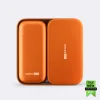
2. AOHI Starship 240W 27,600mAh Power Bank

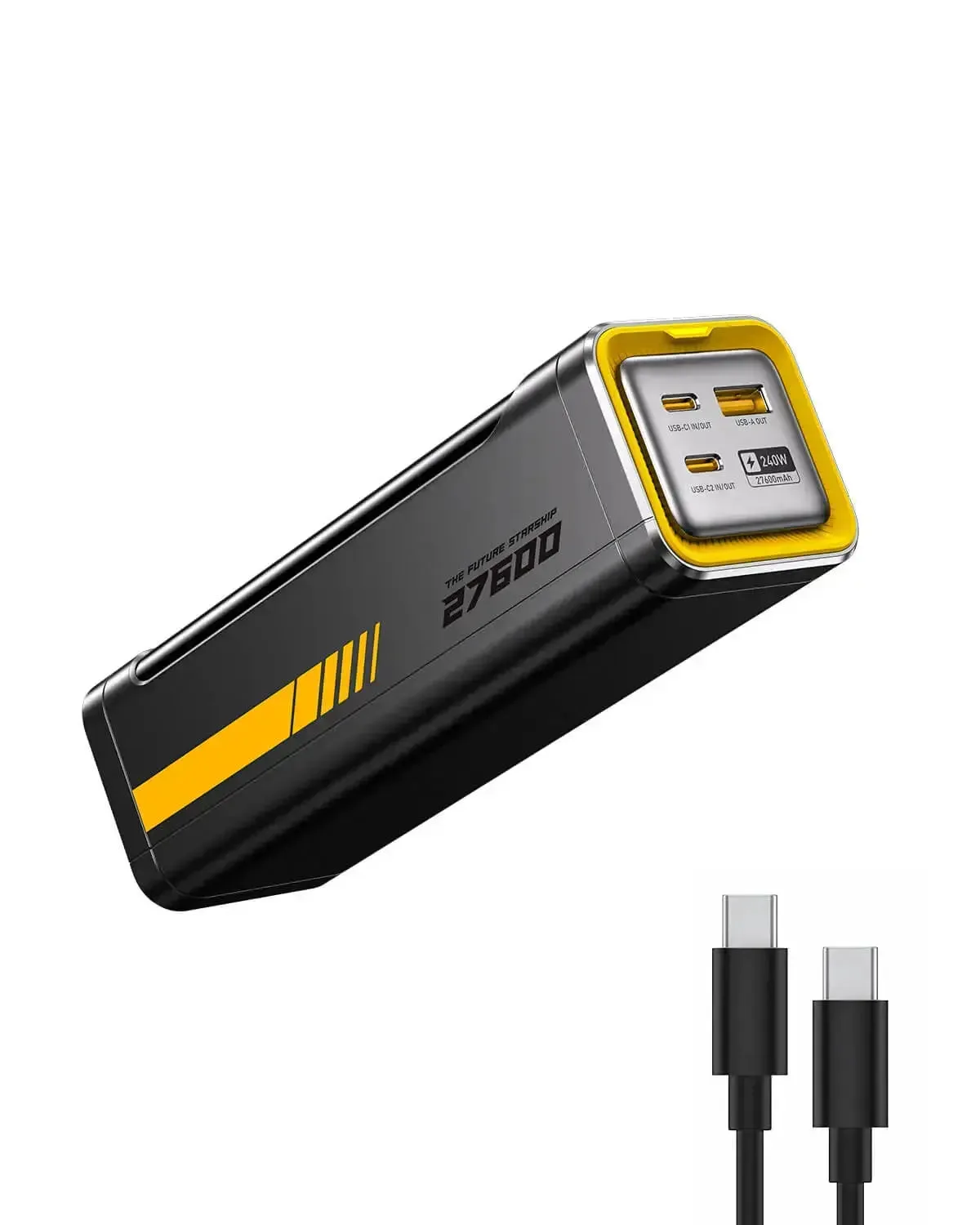
The Starship listing specifies a 27,600mAh battery, two USB-C ports, one USB-A port, and up to 240W total output. Each USB-C port is listed with support for up to 140W. The product includes an LED display, and the store offers different cable-package selections.
This product addresses a different requirement from a wall charger: carrying stored energy when an outlet is unavailable. Evaluate its physical size and weight alongside capacity. A larger battery may be useful for a long working day, but it is an additional item to carry rather than a direct replacement for every adapter.
Our editorial take: Consider this model when portable charging is the priority. Compare its output profiles with your actual devices instead of assuming the total rating applies to a single connected product.
Before buying: Verify the selected cable package, recharging requirements, and current specifications. Published capacity is not a promise of a particular number of full device recharges; practical results depend on the equipment and conditions.
Shop AOHI — Find Starship 240W Power Bank
3. AOHI Youth PD 100W GaN Three-Port Charger

The Youth model is listed as a 100W GaN wall charger with two USB-C ports and one USB-A port. AOHI describes dynamic power allocation and a foldable plug. The product selector distinguishes the charger-only option from a package with an LED USB-C cable.
A three-port adapter offers a more focused purchase than a desktop station. It may be enough when you regularly charge a small set of devices and do not need the larger station’s additional connections. Start with the devices you use together, rather than choosing solely by the highest wattage in the range.
Our editorial take: This is worth comparing for a smaller charging setup. The relevant question is whether the available port combinations meet your needs while sharing the charger’s power budget.
Before buying: Confirm the regional plug, selected package, and multi-device output allocation. Do not interpret the two USB-C port ratings as a promise of 100W from each at the same time.
Shop AOHI — Find Youth 100W GaN Charger
4. AOHI Future PRO Creative Power Cable Set

This modular USB-C cable set is listed with charging support up to 240W and configurations ranging from 0.33 to 8.53 feet. AOHI describes two short cables, an extension section, and a spring cable. Importantly, the store says only the USB4 short cable supports the advertised 40Gbps data transfer and 8K video capability.
That limitation is central to comparing the set. A modular charging arrangement should not be assumed to retain every data or video feature across all combinations. Match the exact cable section to the task, whether it is charging a phone, connecting storage, or linking compatible video equipment.
Our editorial take: Investigate this set if changing cable length is useful in your routine. Its flexibility is a reason to compare it, but a straightforward single cable may be sufficient for a fixed connection.
Before buying: Check the included sections and the capability of each configuration. Charging, data transfer, and video output are separate functions with different compatibility requirements.
Shop AOHI — Find Future PRO Cable Set
Which AOHI Product Fits Your Setup?
Begin with where the charging happens. If your devices mostly stay at a workstation, compare a desktop station with the adapters you already own. If access to outlets is the problem, evaluate a power bank. If you want a smaller daily arrangement, examine the wall charger. If cable length is the issue, start with the cable rather than replacing everything.
There is no universal winner between these categories. A useful buying decision matches a specific requirement and avoids paying for features you will not use. Write down the problem first, then compare only the products that address it.
Build a Device and Cable Checklist
List the exact models you intend to charge and check their manufacturer documentation. Record the connector, supported charging method, and recommended power supply. Devices with similar-looking sockets may accept different power levels or support different features.
Next, identify which devices will be connected simultaneously. A setup that works for one laptop alone may behave differently with a phone and tablet attached. Compare the documented allocation for that combination, not just the headline rating on the front of the listing.
Finally, review your existing cables. Connector shape alone does not confirm charging capacity, data speed, or display support. A cable upgrade may be necessary, but it should be selected for the task rather than assumed from appearance.
How to Read Charging Specifications
Treat every maximum rating as conditional. Actual charging depends on the power source, the receiving device, the cable, supported protocols, and operating conditions. A higher-capacity adapter cannot make a device accept a charging mode it does not support.
Keep power and energy separate when comparing products. Charger output describes delivery capability, while battery capacity relates to stored energy. Neither figure alone tells you how many hours your particular device will operate. Avoid comparing a wall adapter and a power bank as though their headline numbers measure the same thing.
Package Selection and Everyday Practicality
Before comparing prices, make sure you are comparing equivalent packages. A charger-only listing, a charger with a cable, and a larger bundle contain different items. Photographs may show accessories that require a particular selection, so use the written package contents as your checklist.
Consider practical details as well: where the adapter will sit, whether the power cord reaches your outlet, and whether the cable lengths suit your normal arrangement. A feature-rich product is less useful if its physical setup does not fit the space where you work.
Purchase Terms to Check
Confirm shipping availability, delivery estimates, and the final checkout total for your address. Review the current return and warranty conditions, including any exclusions or instructions. This guide does not promise a fixed price, discount code, free delivery, or a guaranteed arrival date.
Keep the order confirmation and the exact product and variant names. If a specification or compatibility statement is unclear, ask the seller before ordering. A precise question about your device and intended connection is more useful than asking whether the product works with everything.
Frequently Asked Questions
Will a higher-wattage charger always charge my device faster?
No. Your device must support the relevant power level and charging protocol, and the cable must be suitable. Compare the complete connection rather than the charger rating alone.
Does every cable configuration support the same data speed?
Do not assume so. Check the capability of the exact cable section and combination. Power delivery, storage connections, and video output need separate checks.
Where do the shopping links lead?
All four product images and shopping buttons open the supplied AOHI affiliate homepage link. Search for the exact product name and select the appropriate plug or package.
Final Verdict
AOHI offers distinct options for desk charging, portable battery power, wall charging, and modular cables. Start with your own device requirements, then verify the exact model, package, and supported connections. A well-matched setup is more useful than selecting the largest advertised number.











Reviews
There are no reviews yet.