
 Electronics & Computer
 Smart Home & Security
 Home Appliances
 Kitchen & Dining
 Power & Charging
 Gaming & Entertainment
 Automotive & Outdoor
 Health & Personal Care
 Office Electronics
 Smart Lighting & Ambient

🤝 AFFILIATE DISCLOSURE: AVERY FINDS MAY EARN A COMMISSION IF YOU PURCHASE THROUGH LINKS IN THIS ARTICLE.
A charger that works well at your desk can be more than you want to carry every day. A compact wall charger can be easier to pack, but you still need enough power for your laptop when your phone is plugged in too. AOHi covers several of these situations with foldable wall chargers, a multiport desktop station, and a bundle that adds a power bank. The useful question is how many devices you need to charge at the same time and where you usually charge them.
This AOHi charger review compares four products from the official store: The Youth 65W, the Magcube Pro 140W, The Future AI 280W desktop charging station, and the Starship 40,000mAh power bank bundle. The comparison draws on AOHi’s listings and product photos. Use the four sections to narrow your options, then check the port output, plug type, and package contents for the exact version you plan to buy.
What does AOHi make?
AOHi sells charging accessories, including USB-C wall adapters, desktop chargers, cables, and power banks. These products can fill very different roles. A wall adapter travels with you from one outlet to another. A desktop station can keep several cables in one place. A power bank stores energy so you can charge a device between stops when there is no outlet nearby.
Across these categories, pay close attention to what the wattage describes. A charger’s maximum output, the output of a particular port, and the amount available when several ports are in use are different figures. Start with the device that needs the most power, usually a laptop. Then check the charging needs of the other devices you expect to plug in alongside it.
1. AOHi The Youth 65W GaN 3-Port Foldable Charger

The Youth 65W is the first option I would compare for an everyday bag. AOHi lists it as a three-port GaN charger with a foldable plug and USB Power Delivery and PPS support. The foldable design is useful if you carry the adapter in a pocket alongside cables or other accessories. It also gives you room to connect more than one device when you have access to a single wall outlet.
If you carry a USB-C laptop, check the rating of its usual charger before settling on this model. A phone and earbuds are a different load from a laptop and tablet charging together. Look at AOHi’s output chart for the ports you expect to use and compare it with what your devices require. This is the practical pick for someone who prioritizes a charger that is easy to pack and has already confirmed that the available power covers their routine.
Browse the AOHi store
Opens the AOHi homepage. Search for The Youth 65W GaN 3-Port Foldable Charger.
2. AOHi Magcube Pro 140W GaN+ Fast Charger

The Magcube Pro is the wall charger to compare if a higher-power USB-C laptop is central to your setup. AOHi lists two USB-C ports and one USB-A port. According to the product page, either USB-C port can deliver up to 140W when used individually with a compatible USB Power Delivery 3.1 device and an appropriate cable. When you connect more than one device, the charger distributes power within its 140W total limit.
That makes your typical charging combination more important than the number on the box. If you mainly charge a laptop on its own, look at the single-port specifications. If you usually charge the laptop and a phone together, look for that specific combination in the output chart. The USB-A port also gives you a place to connect an accessory that still uses a USB-A cable. AOHi lists charger-only and bundle options, so confirm whether the cable you need comes with the variant you choose.
Browse the AOHi store
Opens the AOHi homepage. Search for Magcube Pro 140W GaN+ Fast Charger.
3. AOHi The Future AI PD3.2 280W 6-Port Desktop Charging Station

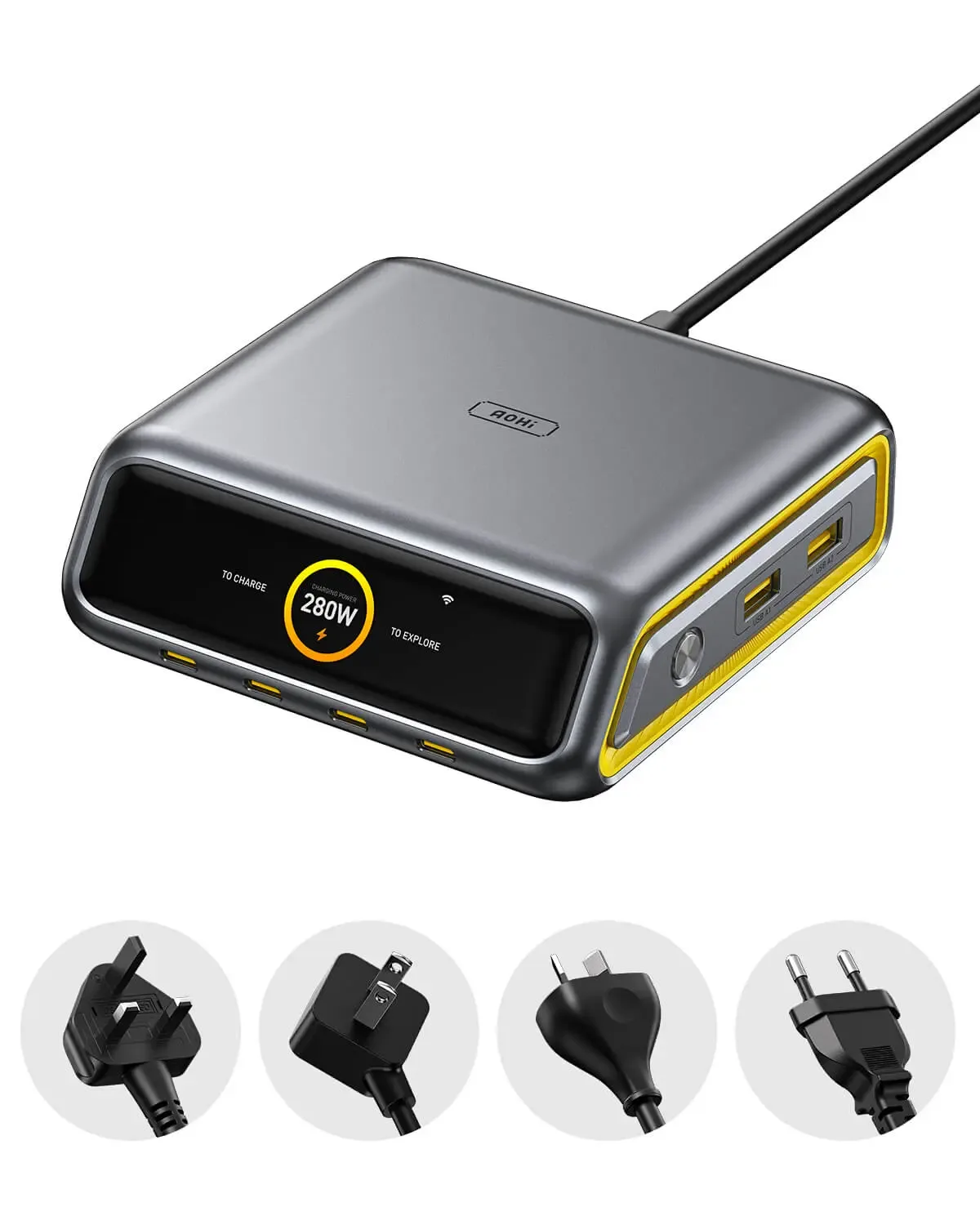
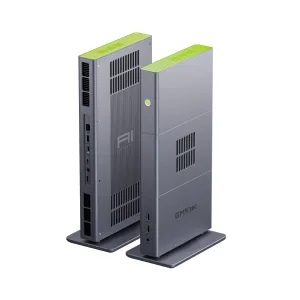
The Future AI 280W is the desk option in this comparison. AOHi lists six ports and offers versions for US, EU, UK, and AU plugs. It makes the most sense if several devices regularly land in the same place. For example, you might keep a laptop cable, a tablet cable, and leads for small accessories ready at a workbench or on a home-office desk.
Six ports are useful when you have enough devices to use them. Before ordering, write down what will normally be connected and what is likely to charge at the same time. Compare that combination with AOHi’s port allocation chart. If the station will sit behind a monitor or at the far end of a desk, think about cable length and access to the ports as well. Those details determine how convenient a fixed charging setup feels during a normal workday.
Browse the AOHi store
Opens the AOHi homepage. Search for The Future AI 280W 6-Port Desktop Charging Station.
4. AOHi Starship 40,000mAh 140W Power Bank and Charger Bundle

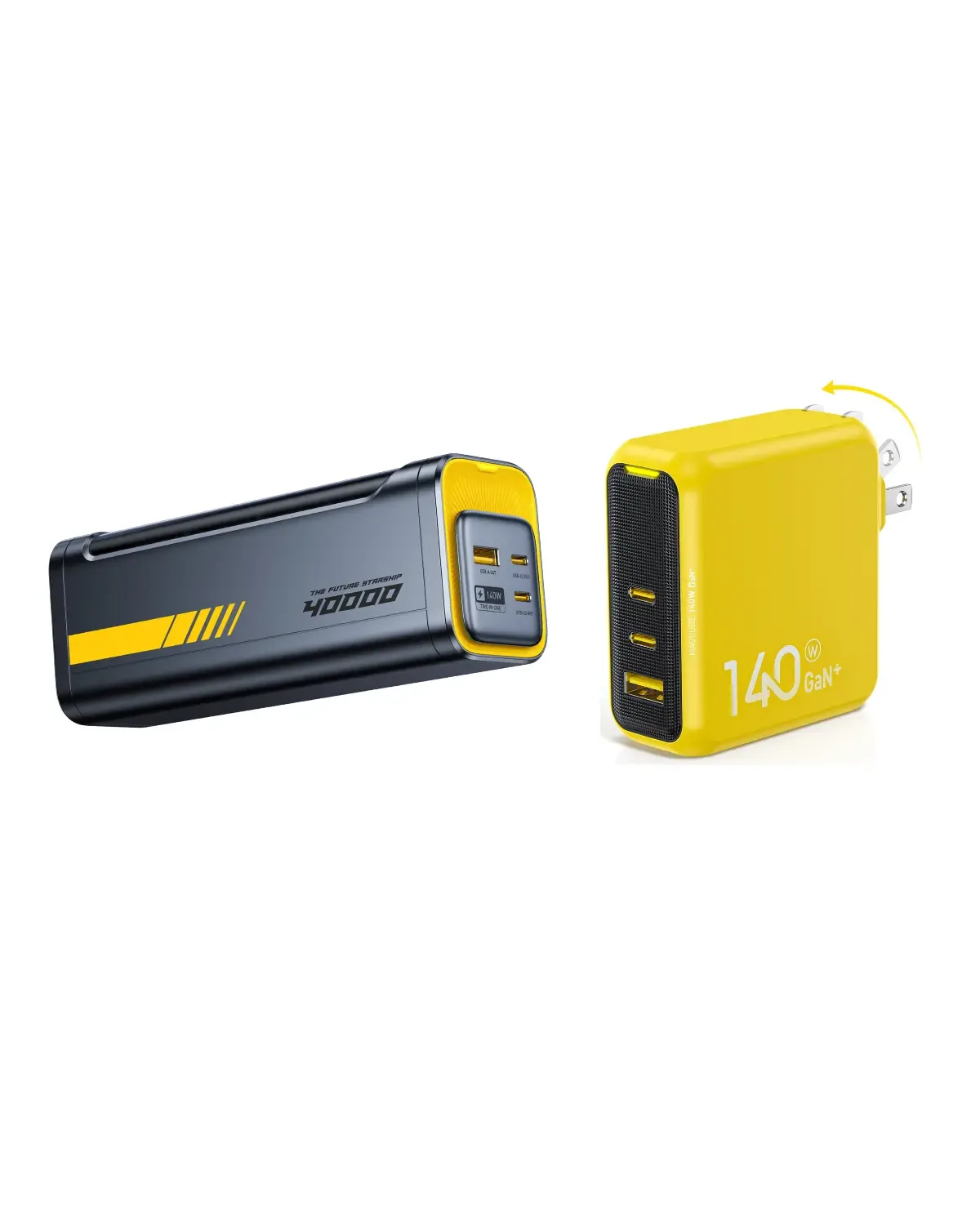
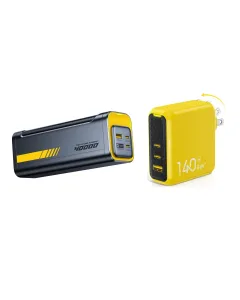
The Starship bundle is for a different problem: keeping devices charged between outlets. AOHi lists a 40,000mAh PD3.1 power bank rated at up to 140W, bundled with a separate 140W GaN+ wall charger. It is the one I would compare for long workdays away from an outlet or for a setup where you want a wall charger at your base and stored power when you leave.
Look at capacity and output separately. The 40,000mAh figure describes the battery’s rated capacity, while the wattage describes its power output under the applicable charging conditions. To judge how much useful charging you can expect for a particular laptop or tablet, compare its requirements and check the power bank’s listed energy rating. If you plan to fly with it, check the watt-hour rating printed on the unit and your airline’s current rules before packing it.
Browse the AOHi store
Opens the AOHi homepage. Search for the Starship 40,000mAh bundle with the 140W GaN+ charger.
What to check before buying an AOHi charger
- Start with your laptop’s requirements. Check whether it accepts USB-C charging and how much power its manufacturer specifies. Include the laptop model when checking compatibility.
- Compare output with several devices connected. Look for the port combination you will actually use. A laptop and a phone connected together may receive a different allocation than a laptop on its own.
- Match the cable and plug. Check the USB-C cable’s power rating, the plug type for your wall outlet, and what is included in the selected package.
- Choose a setup you will use regularly. Compare a foldable adapter for your bag, a desktop station for a shared workspace, and a power bank for time spent away from outlets.
Frequently asked questions
Can both USB-C ports on the Magcube Pro supply 140W together?
AOHi lists up to 140W from either USB-C port when it is used individually under compatible conditions. With multiple devices connected, the charger shares its maximum 140W output across the active ports.
Which AOHi charger should I compare for a laptop and phone?
Start with The Youth 65W if your laptop’s power needs and the shared-port output fit your setup. Compare the Magcube Pro 140W if the laptop needs more power. Check the two-port output for the exact combination you intend to use.
Does the Starship bundle include a separate wall charger?
Yes. The bundle reviewed here combines the 40,000mAh Starship power bank and a 140W GaN+ wall charger. Check the listing before ordering because AOHi also sells other Starship configurations.
Final thoughts
The Youth 65W makes sense for a compact everyday setup, while the Magcube Pro is worth comparing when a higher-power USB-C laptop is your main device. The Future AI 280W fits a desk where several devices charge regularly. The Starship bundle adds the ability to charge between outlets. Pick the option that fits where you work and what you carry, then verify the port allocation and cable requirements for your own devices.






Reviews
There are no reviews yet.